3
CUES Inc., MPlus+ User Manual | CH905
www.cuesinc.com, | salesinfo@cuesinc.com
SET-UP & INSTALLATION
INSTALLING THE ACCESSORY BAG -
STANDARD OR XL VERSION
An accessory bag is provided to store
additional items, if needed. It also
includes a convenient carry handle for
portability.
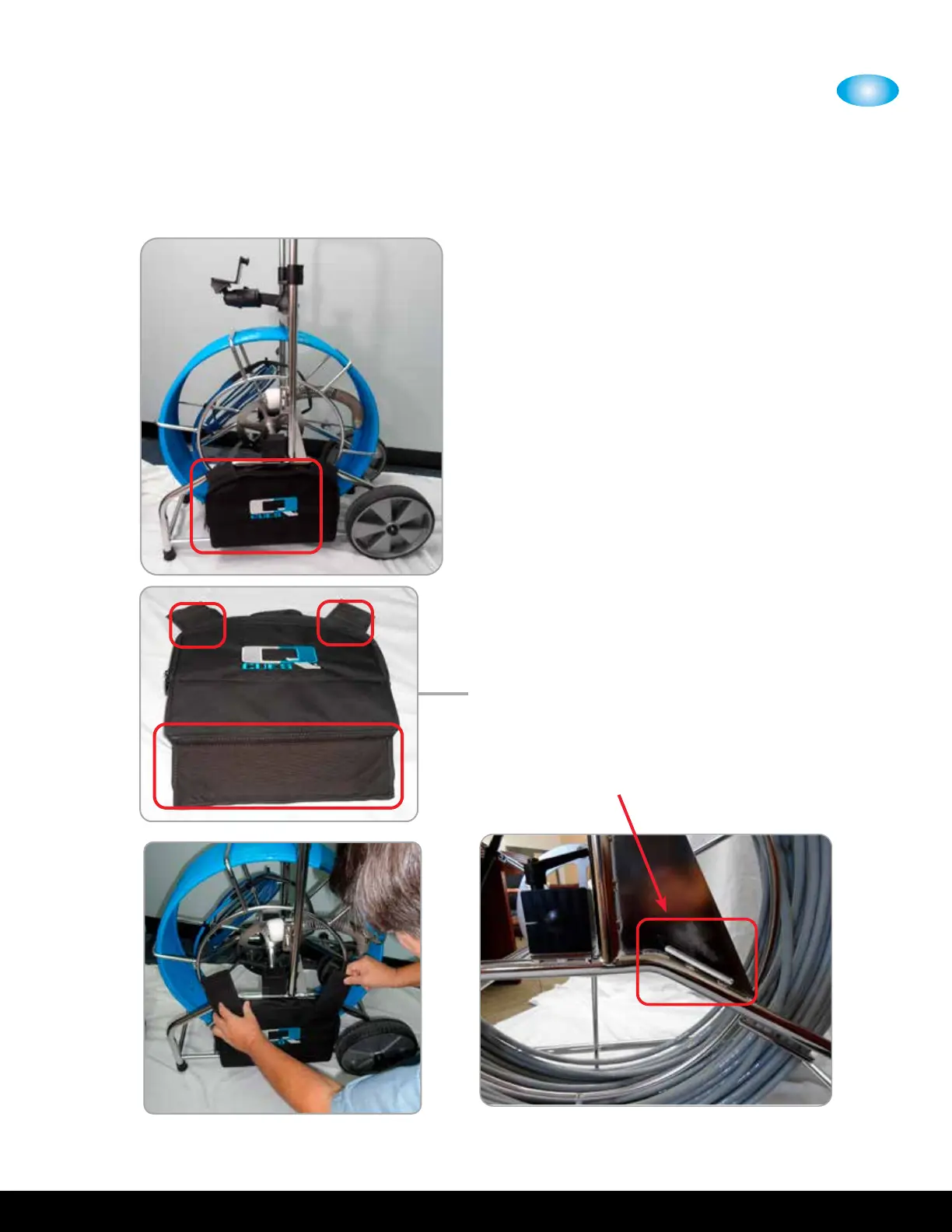
To attach/remove the bag, secure the
() velcro aps onto the cable reel as
shown and per below:
Secure the long ap at the bottom of
the bag around the bottom of the coiler
as shown.
Then wrap the () smaller aps around
the coiler.
Press together to ensure good adhesion.
() velcro aps located on the
accessory bag
For the XL version only: Route the
right velcro strap through the slot in the
coiler and secure.


 To Next Page