3
CUES Inc., MPlus+ User Manual | CH905
www.cuesinc.com, | salesinfo@cuesinc.com
SET-UP & INSTALLATION
INSTALLING THE CONTROL UNIT -
STANDARD OR XL VERSION, CONTINUED
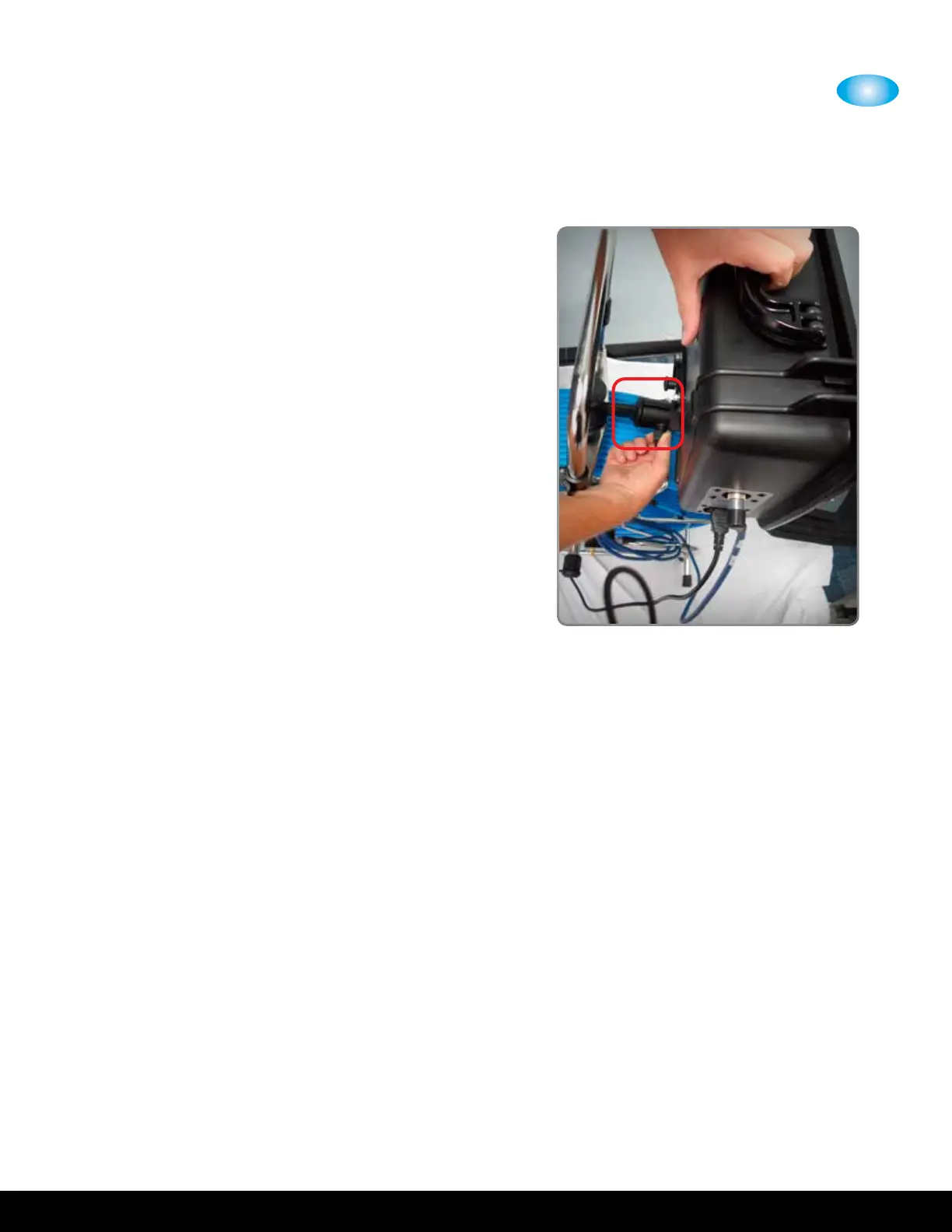
Once installed, the control unit can swivel
vertically approximately degrees, and rotate
left-to-right approximately degrees for
dierent viewing angles.
To change the angle of the control unit,
release the hand knob located on the ball
mount. Swivel/rotate the unit vertically and
left-to-right to place the unit in diering
viewing angles. Once the desired position is
determined, secure the unit by turning the
hand knobs.


 To Next Page