4
CUES Inc.,MPlus+ User Manual | CH905
www.cuesinc.com, | salesinfo@cuesinc.com
OPERATING THE SYSTEM
MAIN SYSTEM MENU FUNCTIONS
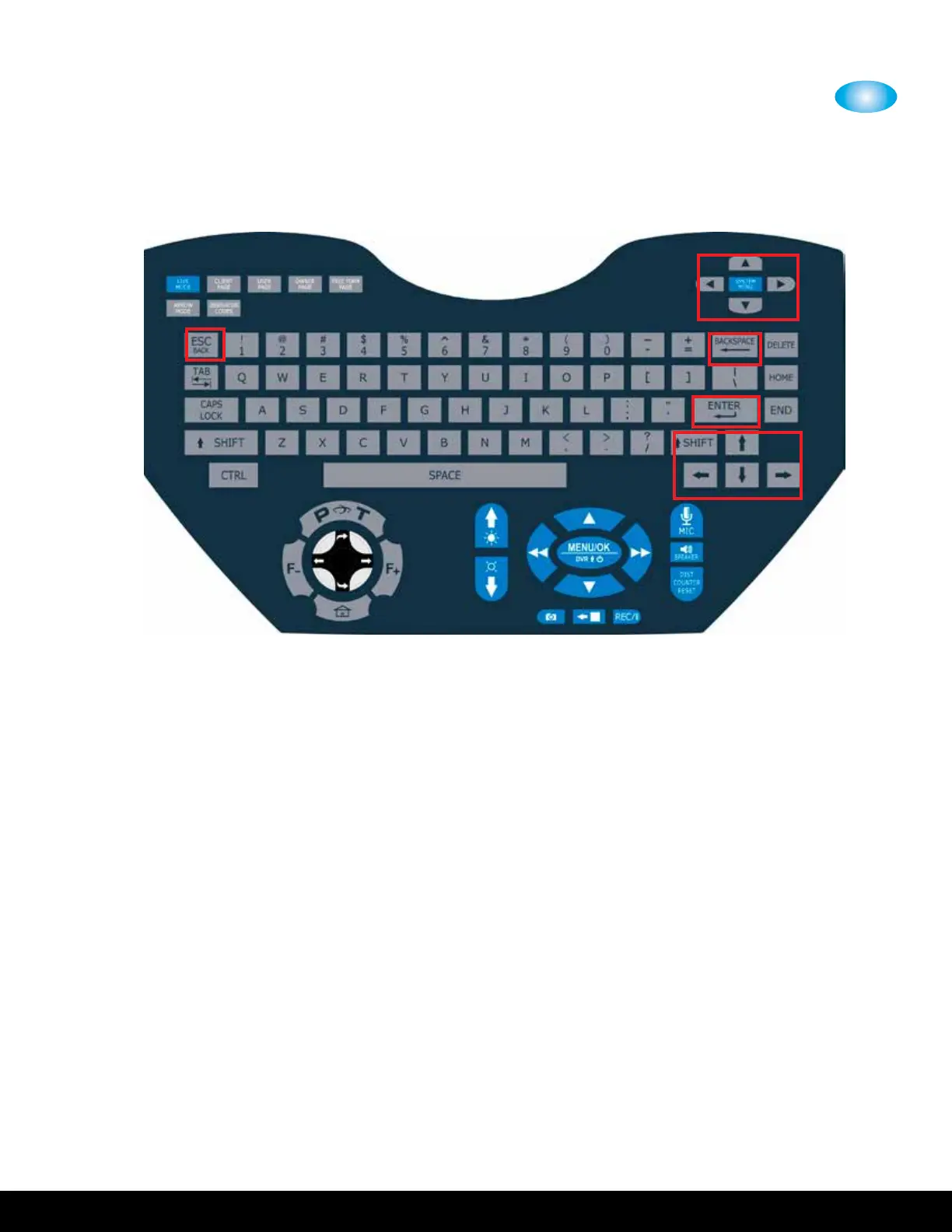
Navigation
• System Menu/OK – Press to display the System Menu and accept the selection
• Up Arrow – Cursor UP to move to the previous selection
• Down Arrow – Cursor DOWN to move to the next selection
• Right Arrow – Press to accept the selection
• Left Arrow – Press to go back up one menu level
Navigation - Additional from QWERTY keypad
• Enter Key– Press to accept the selection
• BackSpace Key – Press to go back up one menu level
• Arrows Up, Down, Right, Left – duplicate function per above arrow
descriptions
• ESC - Press to go back up one menu level


 To Next Page