12
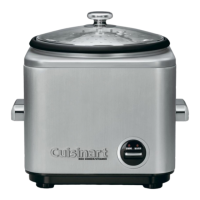
3. PRODUCT FEATURES (refer to cover)
1. Glass lid with stainless steel rim and steam valve
2. Stainless steel steamer basket
3. Non-stick cooking pot
4. Brushed steel housing
5. Heat-insulated handles
6. On/O switch
7. “Cook” / “Warm” switch with indication lights
8. Plastic measuring jug
9. Rice spoon
10. Retractable cord storage (not shown)
The non-stick cooking pot, basket, lid and accessories are dishwasher safe.
4. USE
A. ASSEMBLING YOUR APPLIANCE
Before using the Cuisinart® Cook & Steam for the rst time, wipe the housing of the appliance with
a damp cloth. Wash the lid, the steamer basket, the cooking pot, the measuring jug and the rice
spoon in warm, soapy water or in the dishwasher. Read the section on “cleaning and storage” for
more information.
B. OPERATING THE APPLIANCE
Always use the plastic measuring jug to measure out your rice and cereals and water.
COOKING RICE, CEREALS AND PULSES
Using the measuring jug, measure out the desired amount of rice and pour into the cooking pot.
1 full measuring jug is equal to 1 large portion or 2 smaller/side portions of rice.
Add the corresponding amount of water needed to cook the rice based on the tables below.
Put On/O switch into the “I” position and press the switch on the front of the unit to swap
between cook and warm until the red indicator light for the “Cook” function is lit.
The cooking will then begin.
Automatic Warm
When cooking has nished, the Cook & Steam will detect that the water has been absorbed and
will automatically switch to “Warm”. The “Cook/Warm” switch returns to the high position and the
“Warm” indicator light goes on. The rice is, thus, always ready to eat. The Cook & Steam remains in
the “Warm” setting until the On/O switch is put into the “O” position. It is possible to activate the
“Warm” setting by raising the control and this can be used to reheat food.



 To Next Page