Page 39 - Revision:EU-2020-10-13
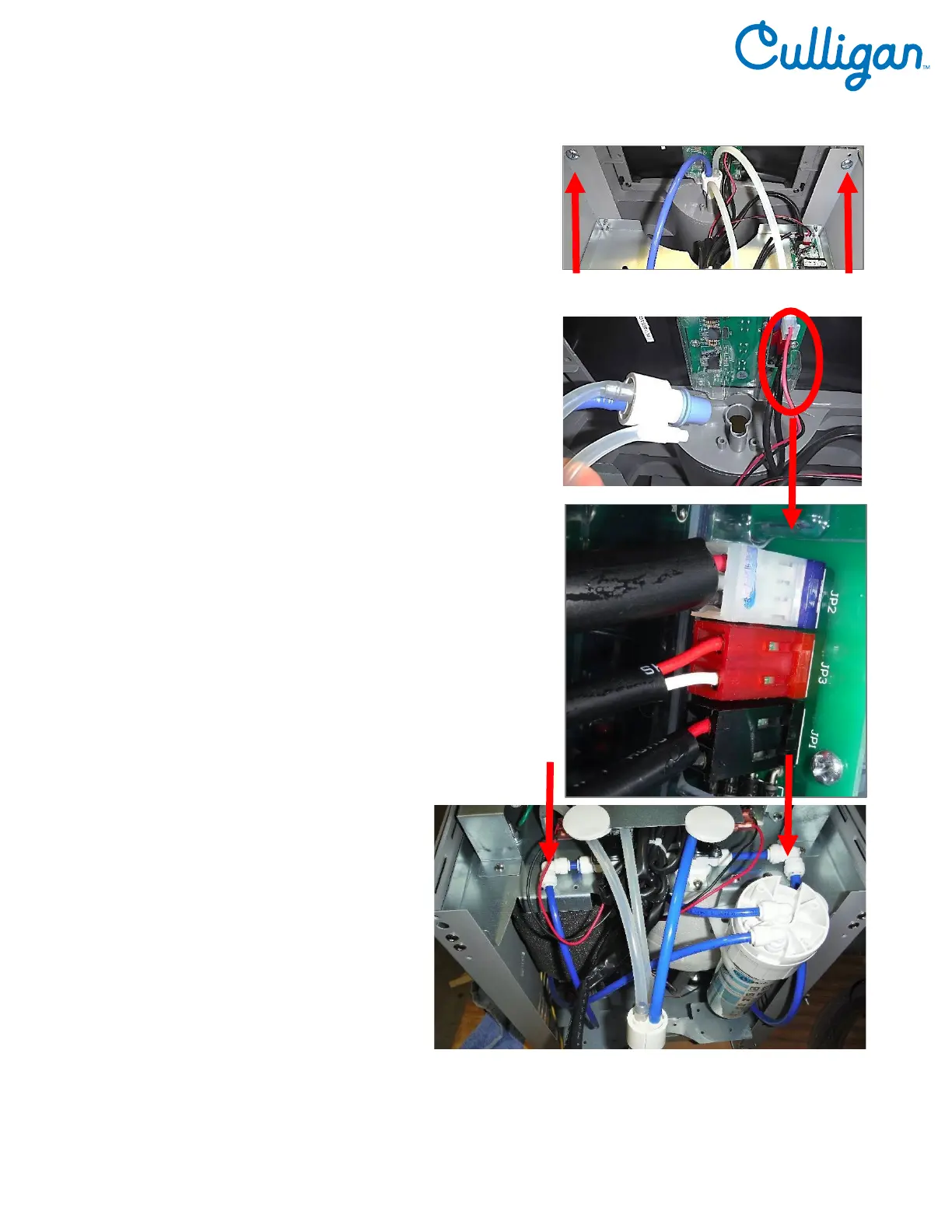
6. Remove Front Panel. Remove 2 Phillip screws securing
Front Panel.
7. Unseat Faucet Assembly from Front Panel.
8. Unclip the White, Red and Black wire connectors from
PCB to allow Front Cover to be removed.
9. Remove Front Panel
10. Disconnect tubing to allow water to
drain from the C100 Water
Treatment System.
Catch water in a pitcher, catch basin
or another container.
11. Dry inside of the C100 Water
Treatment System.
12. Replace Front Panel.



 To Next Page