Installation of the Aqua-Sensor Probe
After installing the Aqua-Sensor kit 01008779 - CSM, Hi-Flo 50 or the 01018959 - Hi-Flo
22, it is necessary to configure some settings.
The Aqua-Sensor probe should be installed prior to loading the resin in the tank. Run the
probe lead through the opening in the top of the tank. Systems with fiberglass tanks will
have a tank plug on the cord. Systems with steel tanks require a 3/4” x 1/2” reducing
bushing (included in kit) for the cord grip. Run the probe through the bushing prior to
inserting into tank. Use a supplied strain relief to run the connector into the controller. Plug
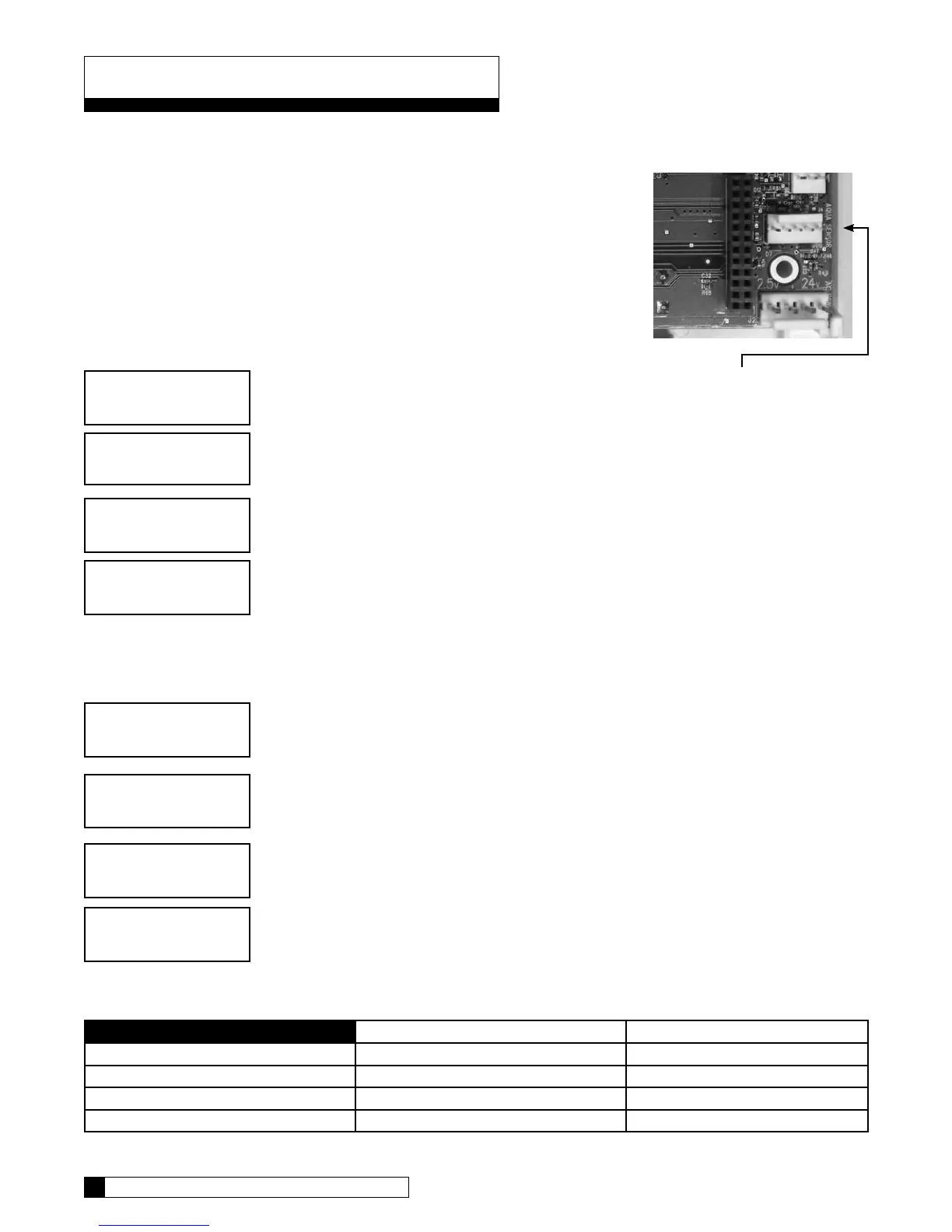
the connector into the circuit board at the position labeled Aqua-Sensor. Figure 23.
From the home screen, press the DOWN arrow to ACCESSORIES. Press the CHECK
MARK button.
From the ACCESSORIES screen, press the CHECK MARK button at AQUA SENSOR.
Press the CHECK MARK button to change AQUA SENSOR setting. Press the UP or
DOWN arrow to change from NOT INSTALLED to INSTALLED. Press the CHECK
MARK when the correct AQUA SENSOR mode is displayed.
Beeper Mode
From the home screen, press the DOWN arrow to ACCESSORIES. Press the CHECK
MARK button.
Press the DOWN arrow button to scroll to BEEPER. Press the CHECK MARK button at
BEEPER.
Press the CHECK MARK button to change BEEPER MODE setting. Press the UP or
DOWN arrow to change from ALWAYS OFF, ALWAYS ON, 12 HR WARNINGS
OR 24 HR WARNINGS. Press the CHECK MARK when the correct BEEPER MODE is
displayed.
key Press Beeps Beeps on Alarm
Always ON Always Always
Always OFF Never Never
12 hour mode Never Between 8AM-8PM
24 hour mode Never Always
> 4) accessories
system ok
7:32 am 2-1-08
> 1) aqua sensor
aqua sensor
>installed
> 4) accessories
> 2) beeper
beeper mode
>always off
system ok
7:32 am 2-1-08
Connect Aqua-Sensor connector
here at lower right corner of circuit
board
Installation of Accessories 34
33 CULLIGAN GLOBAL ELECTRONIC CONTROLLER
Installation of Accessories
Figure 23


 To Next Page