EasyManua.ls Logo

curt Spectrum 51170 - User Manual

curt Spectrum 51170
16 pages
Print Icon
To Next Page IconTo Next Page
Loading...
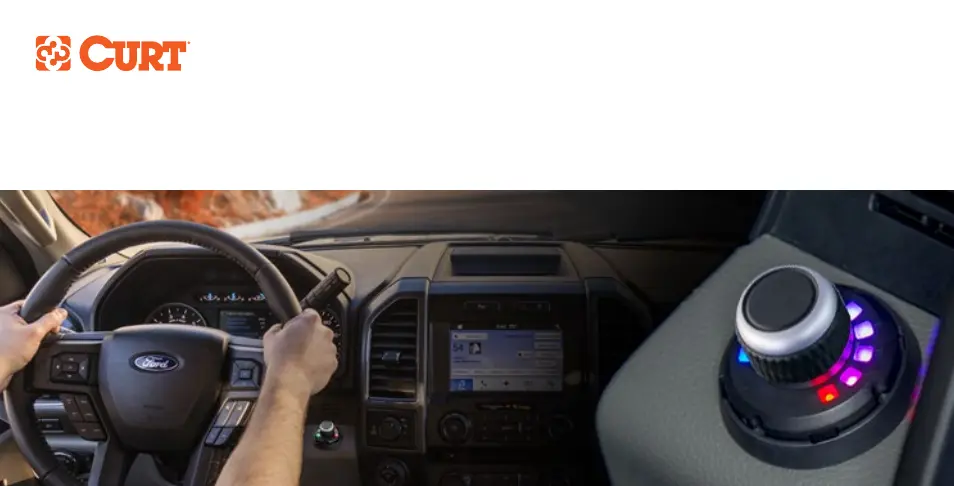
INSTALLATION MANUAL 51170
SPECTRUM
BRAKE CONTROL

Questions and Answers

  • D
    Danielle HamiltonJul 30, 2025
    What to do if curt Spectrum 51170 LED display flashes red and yellow LEDs and there are no trailer brakes?
    • A
      Alexandria TurnerJul 30, 2025
      If the LED display of your Curt Automobile Accessories flashes red and yellow LEDs in sequence and you have no trailer brakes when using the pedal or manual control, it is likely due to a mis-wired trailer connector. The suggested solution is to check the trailer brakes.
  • K
    khunterAug 4, 2025
    Why does my curt Spectrum 51170 Automobile Accessories LED display show a green LED instead of red?
    • T
      Tony ShepherdAug 4, 2025
      If the LED display of your Curt Automobile Accessories shows a green LED instead of a red LED for output power when the brake pedal is pushed or the manual control is activated, it indicates that the red wire is connected to the ground side of the stoplight switch or is shorted to ground. To fix this, check the brake control wiring.
  • C
    Caitlin SmithAug 11, 2025
    Why curt Automobile Accessories has no trailer brakes and LED display shows flashing blue LEDs?
    • T
      Travis RobinsonAug 11, 2025
      If your Curt Automobile Accessories has no trailer brakes when using the pedal or manual, and the LED display shows flashing blue LEDs at the edges, it's likely caused by a mis-wired trailer connector. It is suggested to check the trailer brakes.
  • M
    Mark BaldwinAug 17, 2025
    Why curt Automobile Accessories LED display is lit red for more than 10 seconds?
    • M
      Michelle Navarro MDAug 17, 2025
      If the LED display of your Curt Automobile Accessories is lit red for more than 10 seconds, it could be due to several reasons: no power to the brake control, no ground connection, reversed black and white wires on the main module, or the LED display plug connector not wired correctly. Check the brake control wiring to resolve this issue.
  • S
    Sherry PriceAug 23, 2025
    What to do if curt Automobile Accessories shows loss of trailer connection?
    • D
      David MirandaAug 23, 2025
      If you are experiencing a loss of trailer connection with your Curt Automobile Accessories, indicated by a message to stop and check the trailer connector, the suggested solution is to stop and check the trailer connector.

Summary

Controls and Components Overview

List of Controls and Components

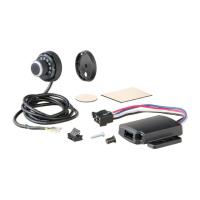
Identifies the main parts included with the brake control unit.

Tools List

Lists the necessary tools for installation and setup.

Installation Preparation and Wiring

Before You Begin

Important safety warnings and prerequisites before starting installation.

Wiring Instructions

Detailed steps for connecting the brake control unit wiring.

Wiring Diagram

Visual representation of the brake control unit wiring connections.

Mounting Procedures

Mounting the LED Display Rotary Knob

Instructions for installing the LED display rotary knob using drill mount.

Surface Mount for LED Display Knob

Instructions for installing the LED display rotary knob using adhesive mount.

Mounting the Main Module

Guidance on selecting a location and securing the main brake control module.

Modes and Indicators Explained

Understanding Brake Control Modes

Explains manual, brightness, output, and sensitivity control modes.

Interpreting LED Indicators

Describes meanings of calibration, overload, and disconnected indicator lights.

Setup and Adjustment

Manual Control and Brake Light Switch Settings

Configuration of manual output level and brake light activation.

Test Drive and Adjustment

Procedures for adjusting output and sensitivity for optimal braking.

Bench Testing Procedures

Bench Test Setup

Steps to prepare for bench testing the brake control unit.

Manual Control Testing

Testing the manual activation and output of the brake control.

Accelerometer Testing

Verifying the accelerometer function by tilting the unit.

Troubleshooting and Support

Troubleshooting Common Issues

Diagnosing and resolving problems with the LED display and brake function.

Warranty and Product Registration

Information on product warranty, registration, and customer feedback.

curt Spectrum 51170 Specifications

General IconGeneral
Brandcurt
ModelSpectrum 51170
CategoryAutomobile Accessories
LanguageEnglish

Related product manuals