38 AXN Quick Start Kit User Guide (BK/0045 | 9 Aug. 2021)
3
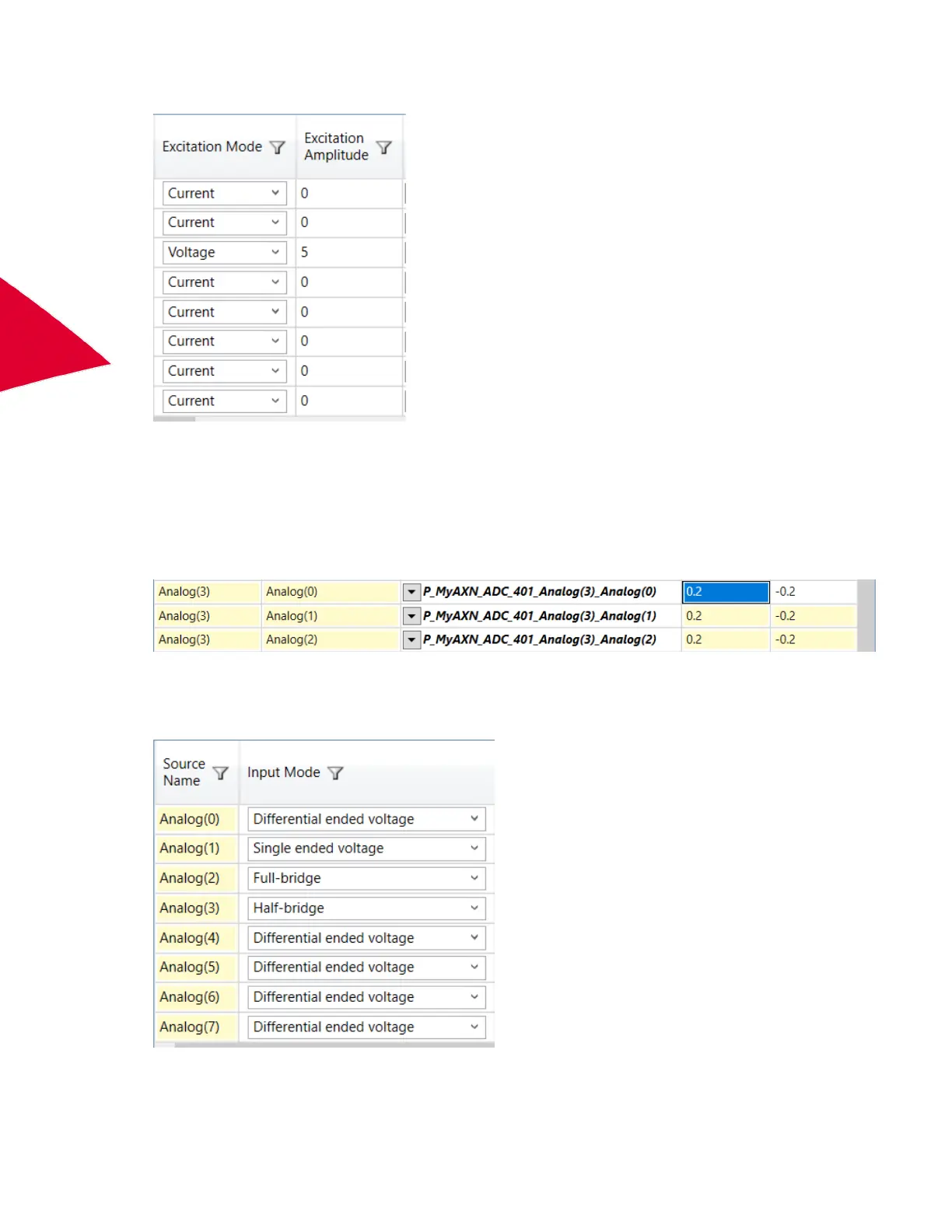
3. Set Excitation to either Voltage or Current and set the required Excitation Amplitude.
4. Configure Filter Mode and Filter Cutoff for each filter tap point. (See “Defining Filter Mode and Filter Cutoff for
Input Modes” on page 32.)
Configuring the AXN/ADC/401 for half-bridge or potentiometer inputs
1. Set the channel range to cover the range of the measurement you want.
N
OTE: This applies to all filter tap points for that channel.
2. Set the channel Input Mode to Half-bridge.
N
OTE: In Half-bridge mode, the module automatically switches to internal 100 kΩ completion resistors. Half-
bridge mode is also the correct operation mode for potentiometer measurements.



 To Next Page