22
VERTICAL USE
Utilizzo in verticale
Vertikaler gebrauch
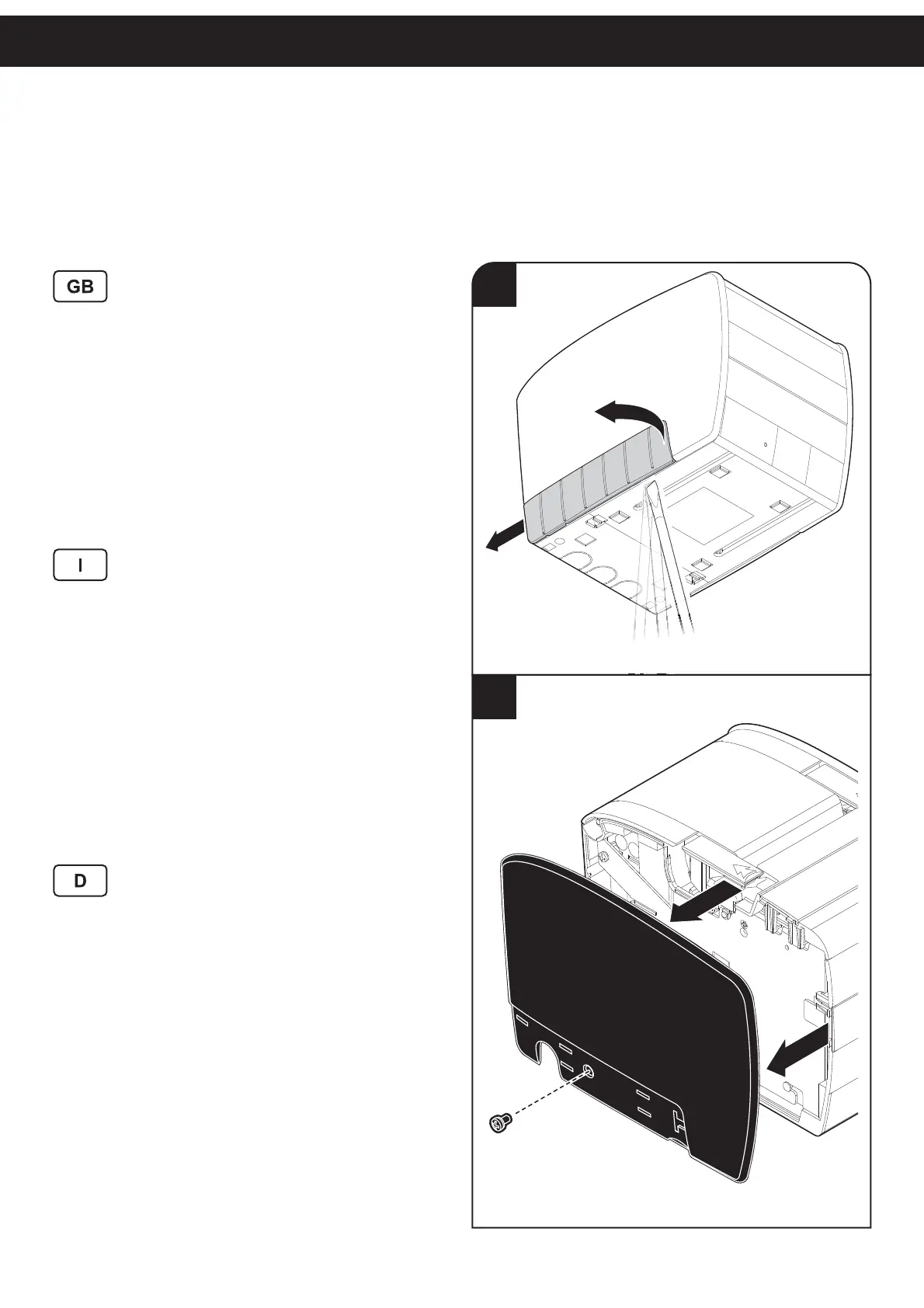
To use the printer in vertical position, proceed as follows:
1. Remove the left carter.
2. Unscrew the fi xing screw and remove the left side.
3. Unscrew the fi xing screw and remove the paper end
sensor board.
4. Place the near paper end sensor board in the new posi-
tion as shown in fi gure.
5. Fix the sensor board by screwing the fi xing screw.
6. Assemble the left side and the carter.
7. Attach the rubber feet supplied with printer on the new
bottom side.
Per utilizzare la stampante in modo verticale, procedere
come segue:
1. Rimuovere il carter sinistro.
2. Svitare la vite di fi ssaggio e rimuovere la fi ancata si-
nistra.
3. Svitare la vite di fi ssaggio e rimuovere la scheda sen-
sore fi ne carta.
4. Posizionare la scheda sensore quasi fi ne carta nella
nuova posizione mostrata in fi gura.
5. Fissare la scheda sensore con la vite di fi ssaggio.
6. Assemblare la fi ancata e il carter sinistri.
7. Incollare i piedini in gomma forniti con la stampante sul
nuovo lato inferiore.
Zum Gebrauch des Druckers in vertikaler Stellung folgen-
dermaßen vorgehen:
1. Linke Schutzverkleidung abnehmen.
2. Verriegelungsschraube abschrauben und linkes Sei-
tenteil abnehmen.
3. Verriegelungsschraube abschrauben und die Platine
des Papiermangelsensors abnehmen.
4. Platine des Papiermangelsensors in der neuen Position
anbringen, siehe Abbildung.
5. Platine des Papiermangelsensors befestigen, dazu die
Verriegelungsschraube festschrauben.
6. Linkes Seitenteil und die Schutzverkleidung wieder
anbringen.
7. Die im Lieferumfang enthaltenen Gummifüßchen an der
neuen Unterseite anbringen.
2
1



 To Next Page