24
PAPER ROLL INSERTION
Inserimento rotolo carta
Papierrolle einlegen
2
1
To change the paper roll, proceed as follows:
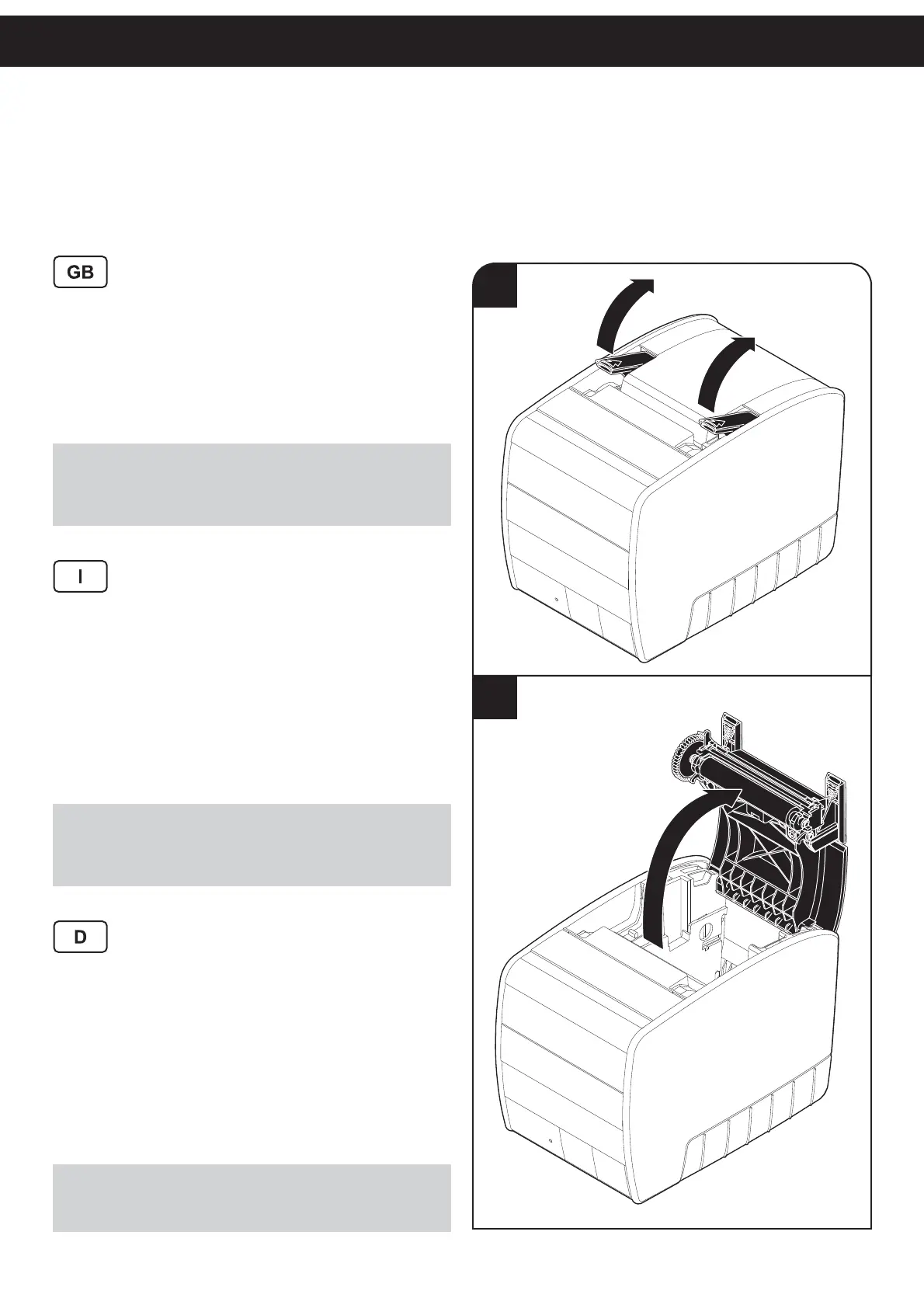
1. Lift the opening levers.
2. Open the printer cover.
3. Place the paper roll into the paper compartment.
4. Pull out a few centimetres of the paper roll edge.
5. Close the printer cover
6. Wait for the paper to load and cut automatically.
NOTE:
Inspect inside the printer every paper change, and verify that there
aren’t paper off-cuts on the cutter compartment; if this event happens
remove the paper off-cuts before execute any other operation with
tweezers.
Per cambiare il rotolo di carta procedere nel seguente
modo:
1. Sollevare le leve di apertura.
2. Aprire il coperchio della stampante.
3. Inserire il rotolo nel vano carta.
4. Far uscire l’estremo del rotolo carta per alcuni centi-
metri.
5. Chiudere il coperchio della stampante.
6. Attendere il caricamento automatico e il taglio della
carta.
NOTA:
Ad ogni cambio carta ispezionare l’interno della stampante e verifi ca-
re che non vi siano ritagli di carta nel vano cutter; nel caso si verifi chi
questa condizione rimuoverli, utilizzando una pinzetta, prima di effet-
tuare qualsiasi altra operazione.
Zum Wechseln der Papierrolle folgendermaßen vorge-
hen:
1. Öffnungshebel anheben.
2. Druckerklappe öffnen.
3. Papierrolle ins Papierfach einlegen.
4. Das Ende der Papierrolle ein paar Zentimeter weit
herausziehen.
5. Druckerklappe schließen
6. Automatisches Einziehen und Schneiden des Papiers
abwarten.
HINWEIS:
Das Innere des Druckers bei jedem Wechsel der Papierrolle überprü-
fen und etwaige Papierschnitzel mit einer Pinzette entfernen, bevor
Sie mit weiteren Maßnahmen fortfahren.



 To Next Page