64
MOUNTING SIDES
Montaggio fi ancate
Montage der seitenteile
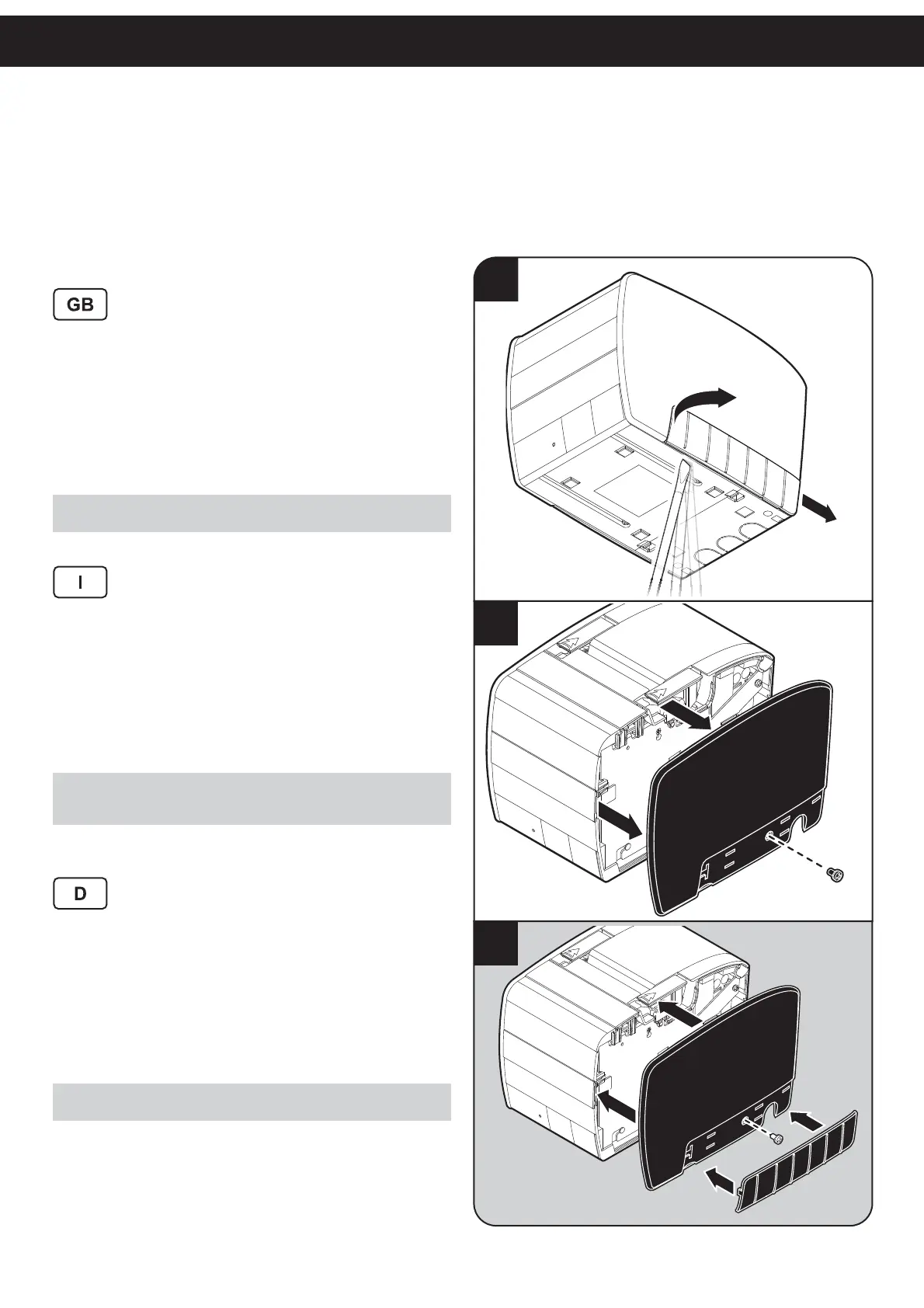
To replace the printer side (right or left), proceed as fol-
lows:
1. Remove the carter on the printer side using a screw-
driver.
2. Unscrew the fi xing screw for the printer side and
remove the printer side.
3. Assemble the new side performing the previous op-
erations in reverse order.
NOTE:
The operations are the same for both the right side and the left side.
Per sostituire il fi anco (destro o sinistro) della stampante,
procedere come segue:
1. Rimuovere il fi anchetto aiutandosi con un cacciavite
a taglio.
2. Svitare la vite di fi ssaggio del fi anco della stampante
e rimuovere il fi anco della stampante.
3. Montare il nuovo fi anco eseguendo le precedenti
operazioni in ordine inverso.
NOTA:
Le operazioni sono le stesse sia per il lato destro che per il lato
sinistro.
Zum Auswechseln des (rechten oder linken) Seitenteils
folgendermaßen fortfahren:
1. Seitliche Schutzverkleidung des Druckers mit einem
fl achen Schraubenzieher abnehmen.
2. Verriegelungsschraube des Seitenteils des Druckers
abschrauben und abnehmen.
3. Neues Seitenteil anbringen und oben beschriebenen
Vorgang in umgekehrter Reihenfolge ausführen.
HINWEIS:
Die Vorgehensweise ist identisch für die beiden Seitenteile identisch.
2
1
3



 To Next Page