ADVANCED FUNCTIONS
47
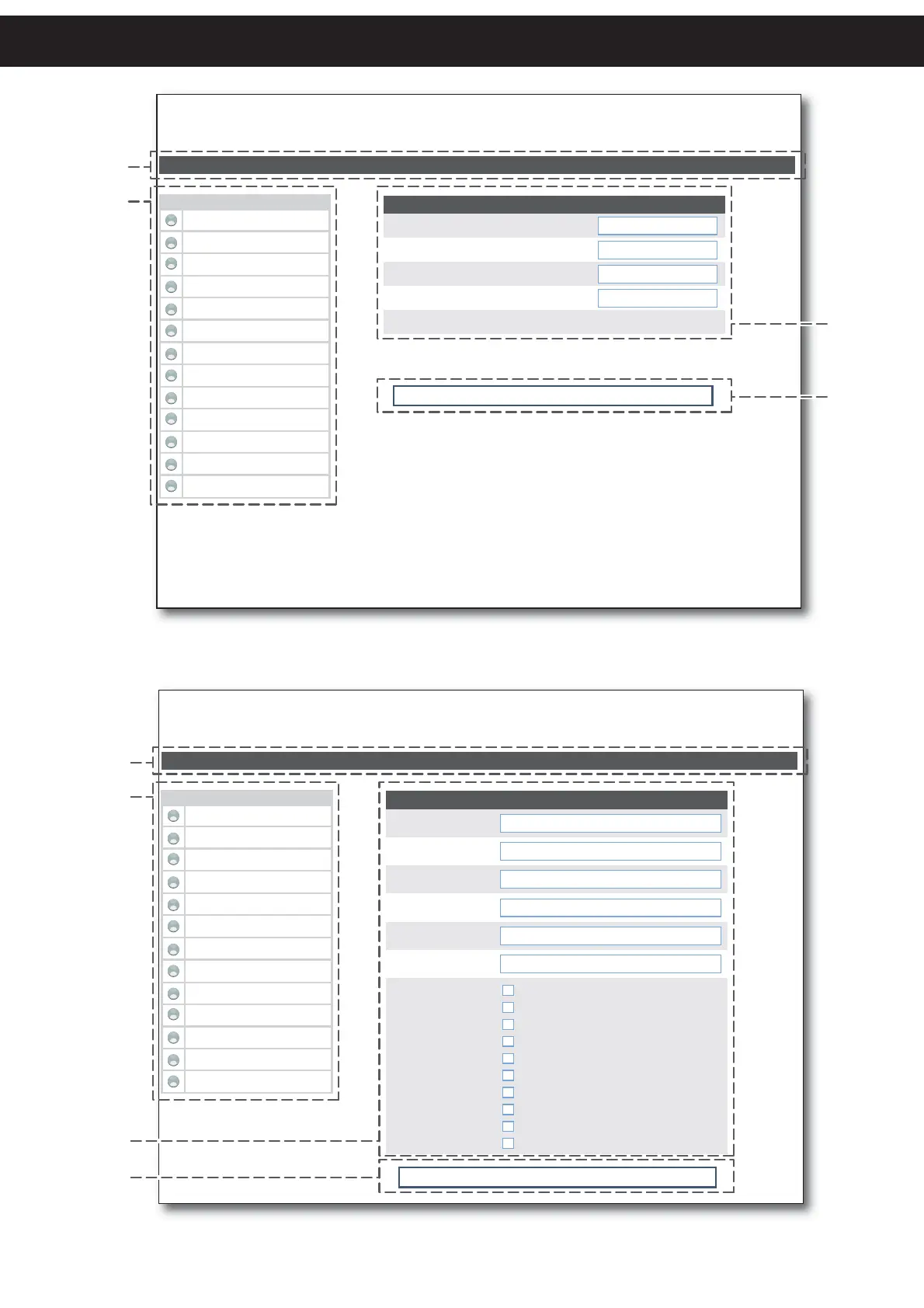
< PRINTER > - Ethernet Interface
http://192.168.10.83
USER : <username>
Device Info Printer Settings Network Setup E-mail Setup Printer Support Login...
Network Setup
IP Address:
Subnet Mask:
Default Gateway:
Printer Port:
MAC Address:
192.168.10.83
255.255.240.0
192.168.0.5
9100
00-0E-E2-00-01-02
Warning!: any changes to network parameters will interrupt browser
connection! If the server not responding you MUST reconnect to the
new IP address set.
Apply Network Settings
RealTime Status
Cover Open
Paper End
Near Paper End
Paper rolling
Autoload Paper
LF key pressed
Over temperature Error
Supply Voltage error
Cutter error
OnOff Key Pressed
Paper Jam
Notch Position Error
Notch Position OK
1
2
3
4
< PRINTER > - Ethernet Interface
http://192.168.10.83
USER : <username>
Device Info Printer Settings Network Setup E-mail Setup Printer Support Login...
E-mail Setup
SMTP Server IP:
FQDN:
E-mail To:
E-mail From:
E-mail Subject:
E-mail Message:
192.168.0.1
yourdomain.com
username@xxxxxxxxx.com
Send E-mail Event:
text
subject
When Paper End Is Detected
When Near Paper End Is Detected
On Printer Power On
On Cover Open
On Cut
On LF Key Pressed
On OnOff Key Pressed
On cutter error
On Head Over Temperature Error
On Supply Voltage Error
Apply E-mail Settings
RealTime Status
Cover Open
Paper End
Near Paper End
Paper rolling
Autoload Paper
LF key pressed
Over temperature Error
Supply Voltage error
Cutter error
OnOff Key Pressed
Paper Jam
Notch Position Error
Notch Position OK
1
2
3
4



 To Next Page