There are three syslog settings and four e-mail settings that can be changed:
• Syslog Server (specify the IP address of your syslog server)
• Log Facility (specify the logging facility)
• Log Level (specify the level of logs you want to report)
• E-mail Server (specify the SMTP server name)
• E-mail Address (specify recipient of the notice)
• From Address (specify a name)
• Subject (specify a subject)
Note: The Send e-mail when log buffer is full option must be
selected for the E-mail Server and E-mail Address settings to be
operational. See step 4.
1) To change any of the values, navigate to the desired setting and press
Enter.
2) Use Backspace and the number keys to change values. Press Enter
when done.
3) Repeat steps 1 and 2 for each network setting to be changed.
4) To have the log buffer e-mailed to you once it’s full, navigate to [ ] Send
e-mail when log buffer is full and press Enter. An x appears indicating
the option is active. Press Enter again to remove the x and deactivate
the option.
Note: The E-mail Server and E-mail Address fields must be filled out
for an e-mail to be sent.
5) Once all values and settings have been set, hit Backspace to return to
the System Settings screen.
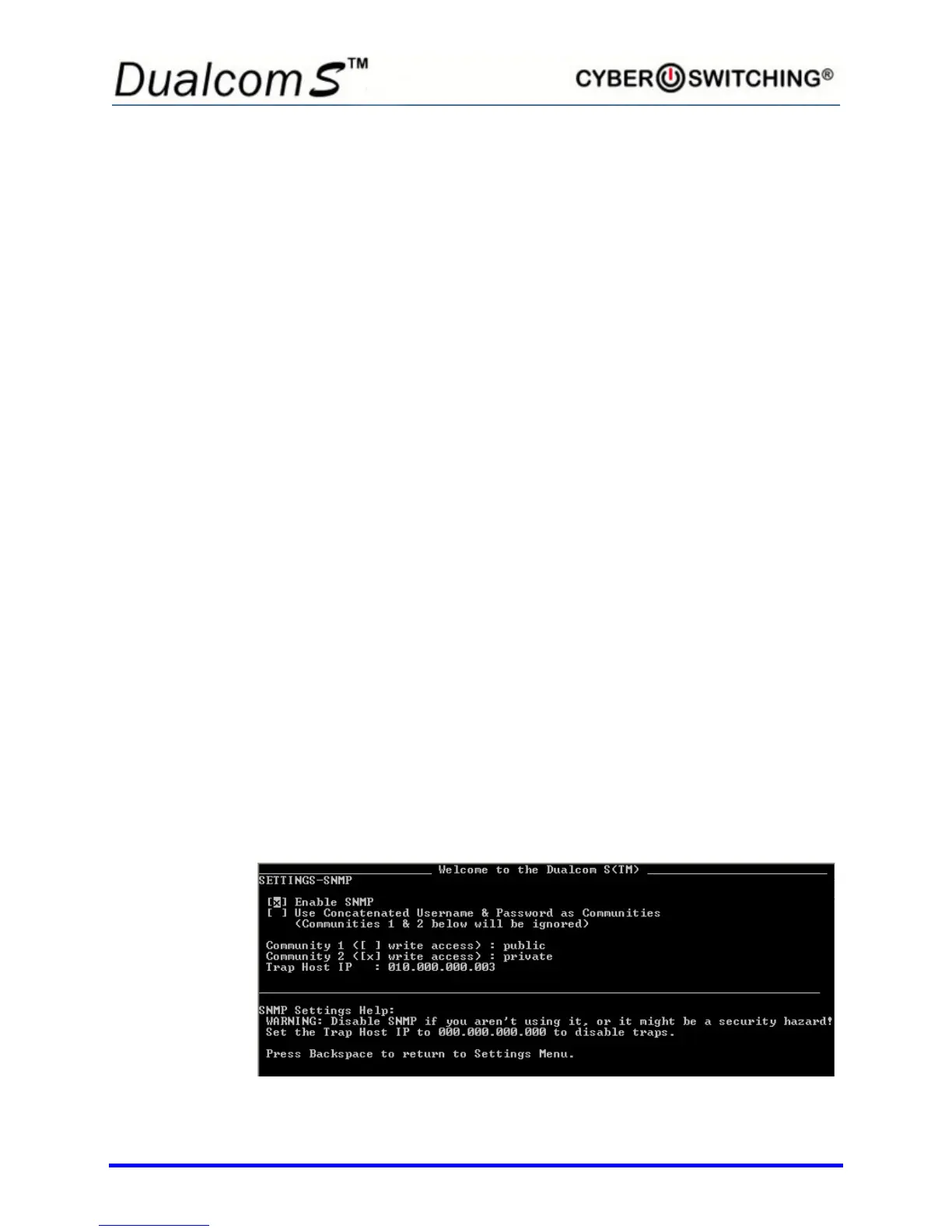
SNMP Setup
From the System Settings screen, type 4 to select SNMP Settings. The
following screen appears:



 To Next Page