To turn all outlets on or off at the same time, click on On or Off next to ALL
To change an outlet so that it will be off when the Dualcom S is powered up, do
the following:
1. Turn off all desired outlets as described above.
2. Click Set Outlets to This State at Power Up at the bottom of the
screen.
Rebooting an Outlet
To reboot an individual outlet, click on Reboot next to the desired outlet. The
outlet turns off after the reboot delay timer expires and then turn back on once
the reboot off timer terminates. To reboot all outlets at once, click Reboot next
to ALL.
Note: The settings for both the reboot delay timer and reboot off timer can be
changed in the properties of each individual outlet (see Editing the Properties
of an Outlet). The default for both timers is five seconds.
Editing the Properties of an Outlet
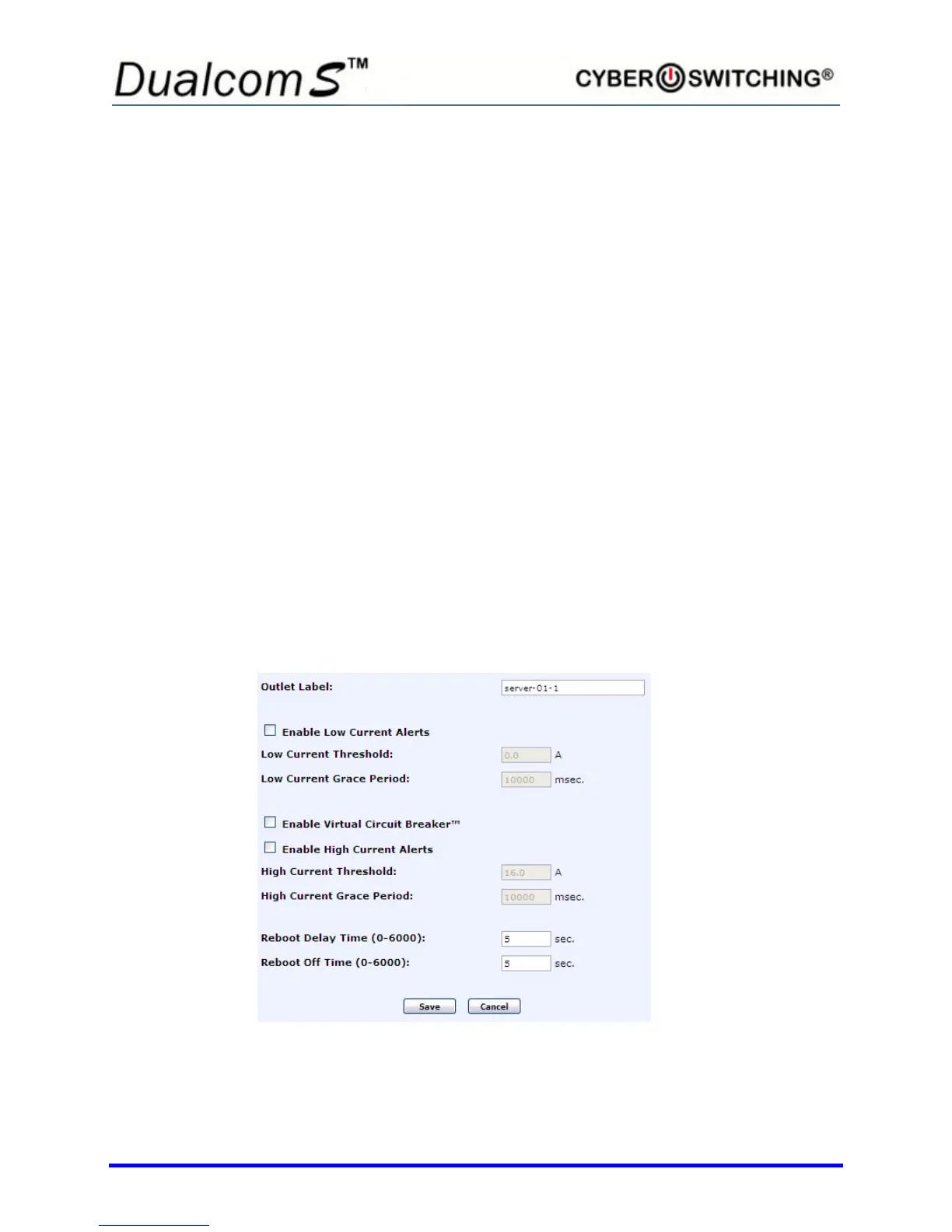
To edit the properties of a specific outlet, click on the name of an outlet. The
following screen appears:
There are ten Outlet settings that can be changed:
• Outlet Label



 To Next Page