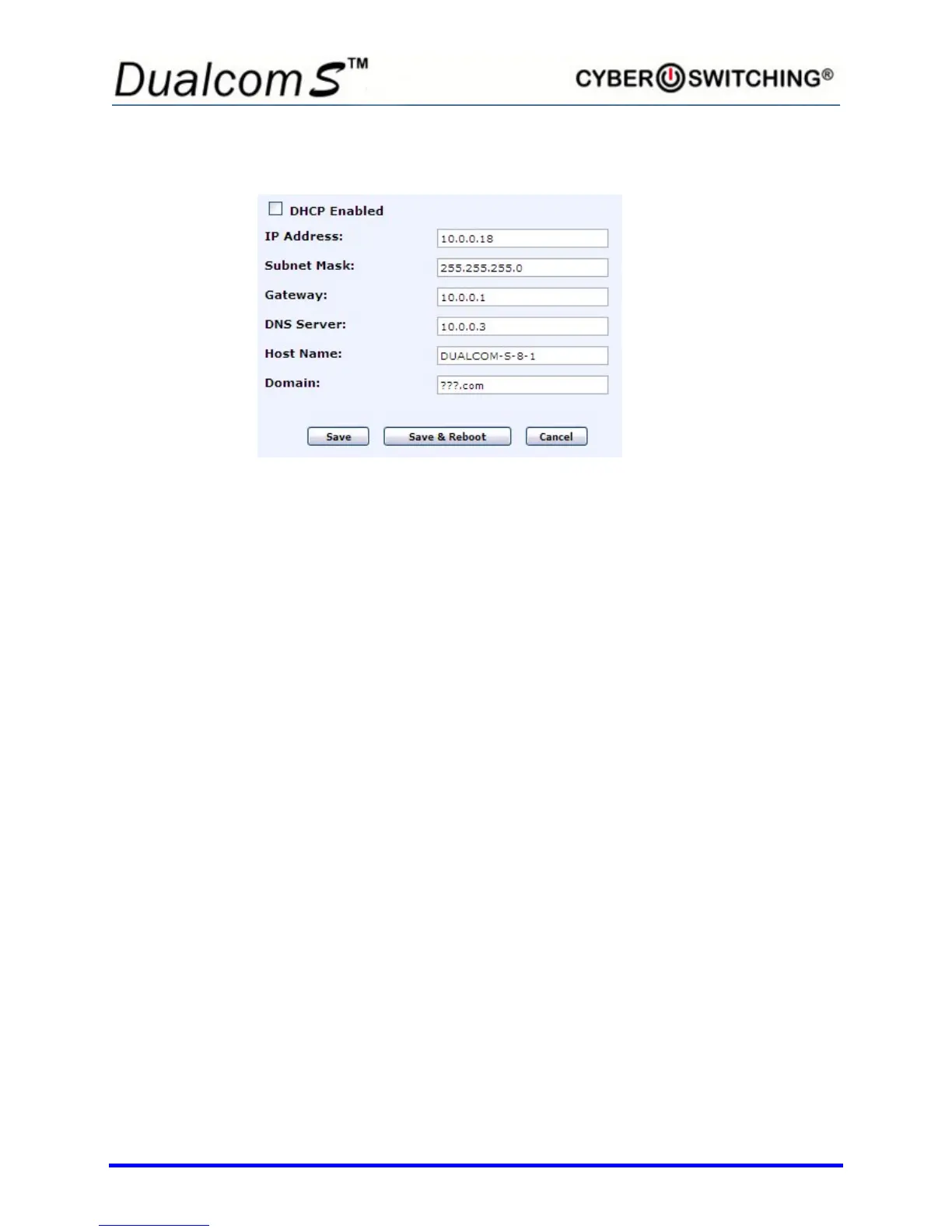
NETWORK Setup
There are six Network settings that can be changed:
• IP Address
• Subnet Mask
• Gateway
• DNS Server
• Host Name
• Domain
To enter a Network setting, click on the box next to the setting to edit and type
in a new value. Once all fields are filled in, click Save and Reboot.
Note: The network settings will not take affect until the unit has been rebooted.
LOGGING Setup
Administrators can use this screen to setup e-mail properties and server
settings. When enabled, the Dualcom S can e-mail the log to a designated
person manually at anytime, or automatically once the log file is full.



 To Next Page