4. To change the High Current or High Grace period times, click in the box
next to either option and enter a new time.
5. Click Save Properties when done.
Enabling Cyber Breaker® the Virtual Circuit Breaker™
Cyber Breaker® the Virtual Circuit Breaker™ provides protection for each
individual outlet, so if one is pulling too much current, only that outlet is tripped.
It also eliminates all uncertainties about when a circuit will trip.
Cyber Breaker® is not designed to protect against short circuits or major over
current conditions. If a circuit is shorted or if the current is too high above the
limit, the primary or branch circuit breaker will still be tripped.
To enable Cyber Breaker®, click the Enable Virtual Circuit Breaker™ box. A
checkmark appears indicating the option is active. Click again to remove the
checkmark and disable the option.
Cyber Breaker® trips the circuit if the current goes over the number of amps set
in the High Current (Amps) box for longer than the number of milliseconds set
in the High Grace Period box. The LED for that outlet turns red, indicating the
outlet is no longer functioning. To reset Cyber Breaker®, turn the outlet off and
then back on. The outlet will turn on.
Scheduling a Task
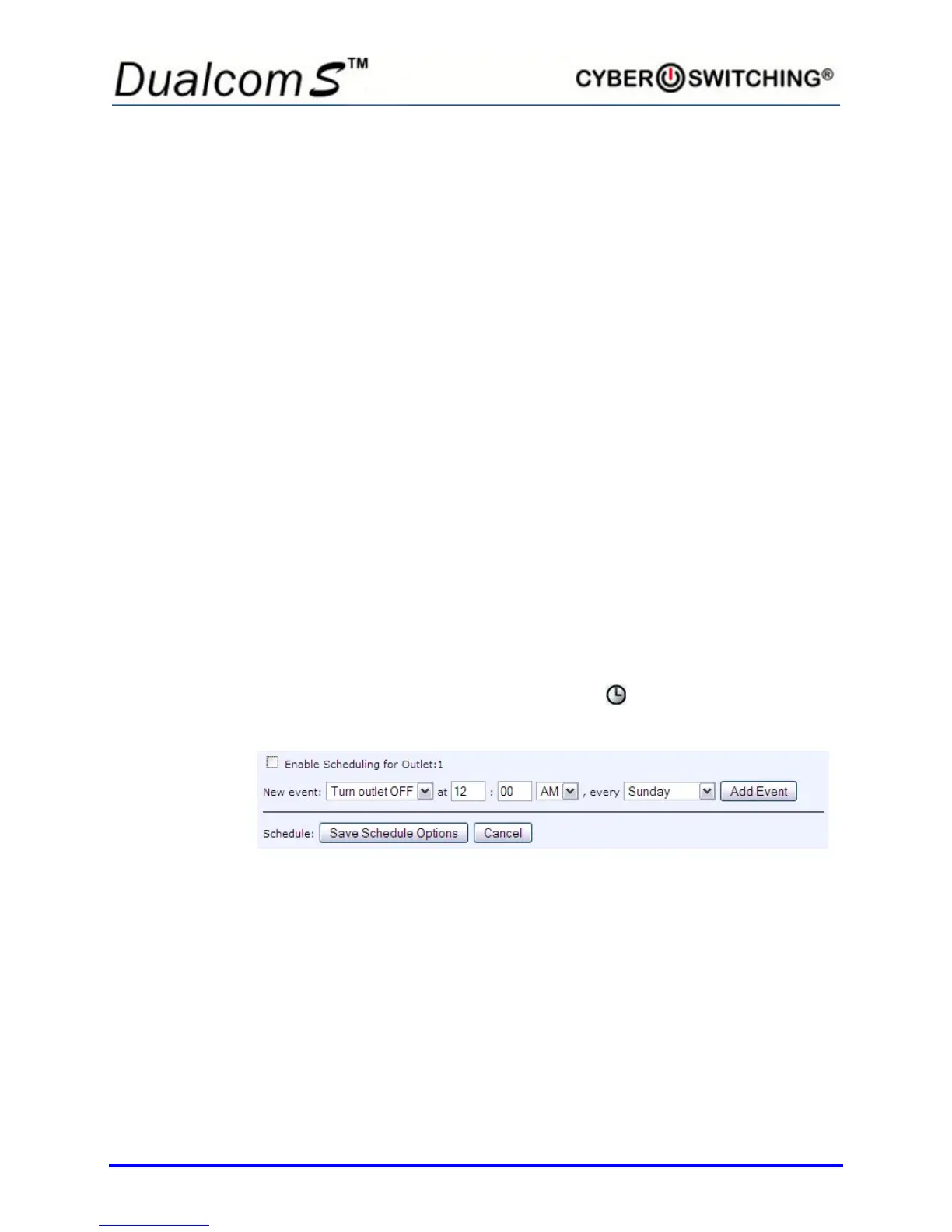
To set a scheduled task, select the clock icon that corresponds to the outlet
to be scheduled. The following screen appears:
Add events by doing the following:
1. Enter a start time in the at hour and minute boxes. Be sure to specify
AM or PM.
2. Select the day of the week from the every pull-down menu.
3. Click Add Event.
4. Click the checkbox to enable scheduling for this outlet.
5. Click Save Schedule Options.



 To Next Page