• E-mail the logs to an administrator by clicking E-mail.
• Clear the log screen by clicking Clear.
Users Tab
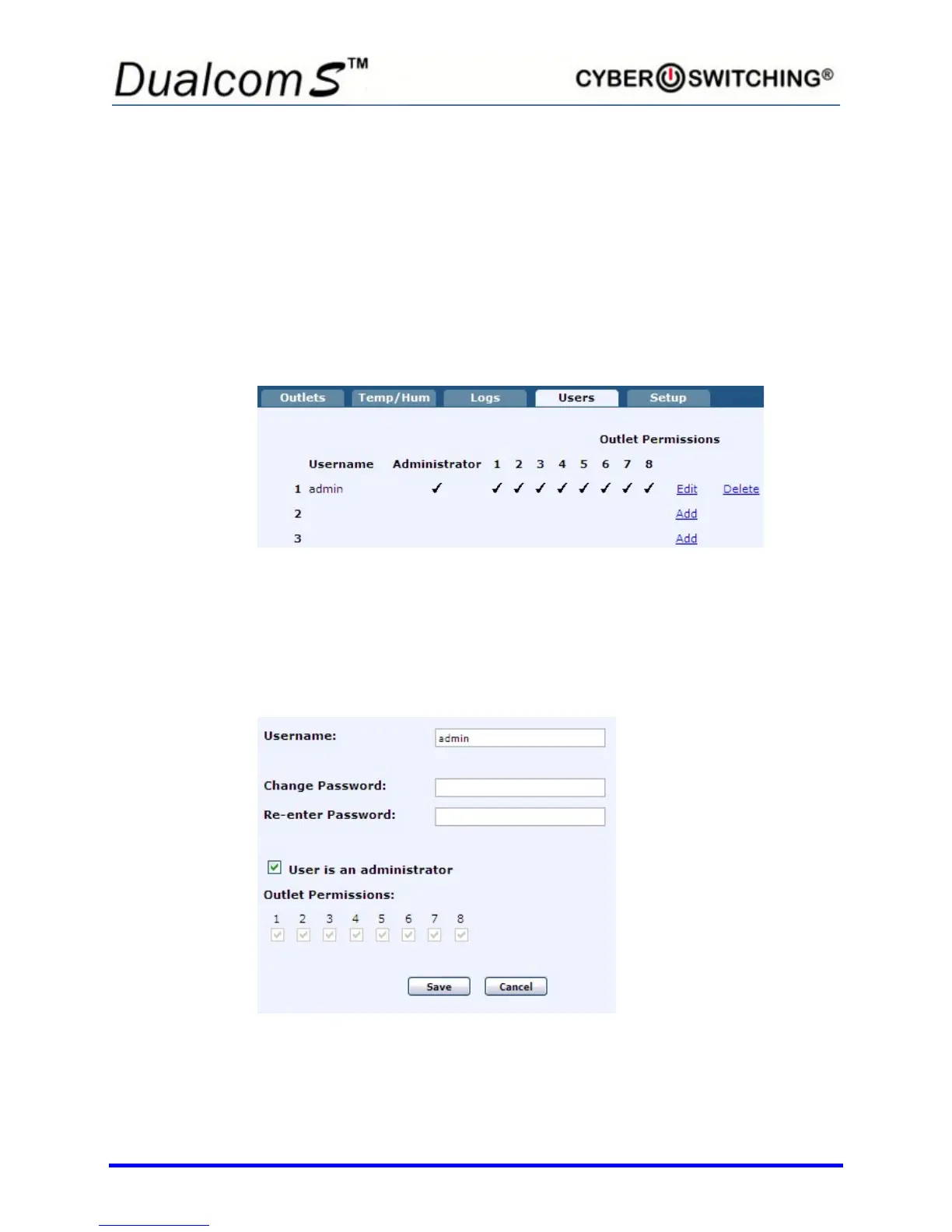
The Users tab allows you to add or edit user attributes and assign user
privileges. Up to 16 users can be created on the Dualcom S. To Access the
Users tab, the user must be an Administrator.
Click the User tab to display a screen similar to the following:
To remove a user, click Delete next to the user to remove. The user and all of
their settings will be deleted.
Edit/Add Users
To add or edit an existing user, click Edit in the row desired. A window similar
to the following appears (shown is an eight outlet Dualcom S):
1. To add/change the username, click in the Username box and enter a
name between 3 and 15 characters.



 To Next Page