INTRODUCTION
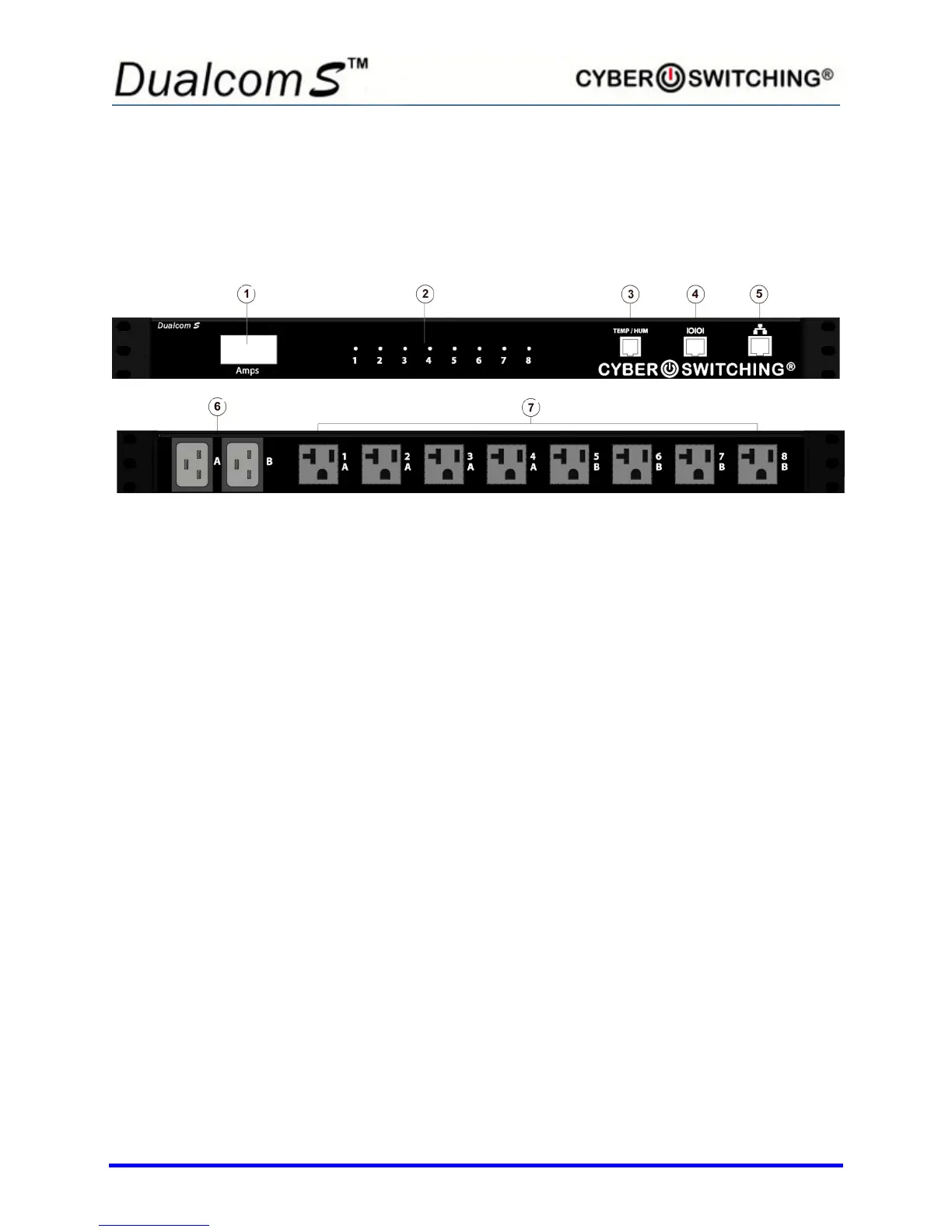
Hardware Overview
(Horizontal Unit Shown)
1: Indicates the total number of amps being used
2: Green LED indicates outlet is energized; red LED indicates Cyber Breaker® has
tripped. Amber LED indicates outlet current is outside of the high or low limit setting.
3: Temperature/humidity sensor port (RJ25) – optional
4: RS232 Serial port (RJ45)
5: Ethernet port (RJ45)
6: AC inlet receptacles (C-20 shown)
7: AC outlets (5-20R shown)



 To Next Page