11D-Link DAP-1160 User Manual
Section 2 - Conguration
Wireless Setup
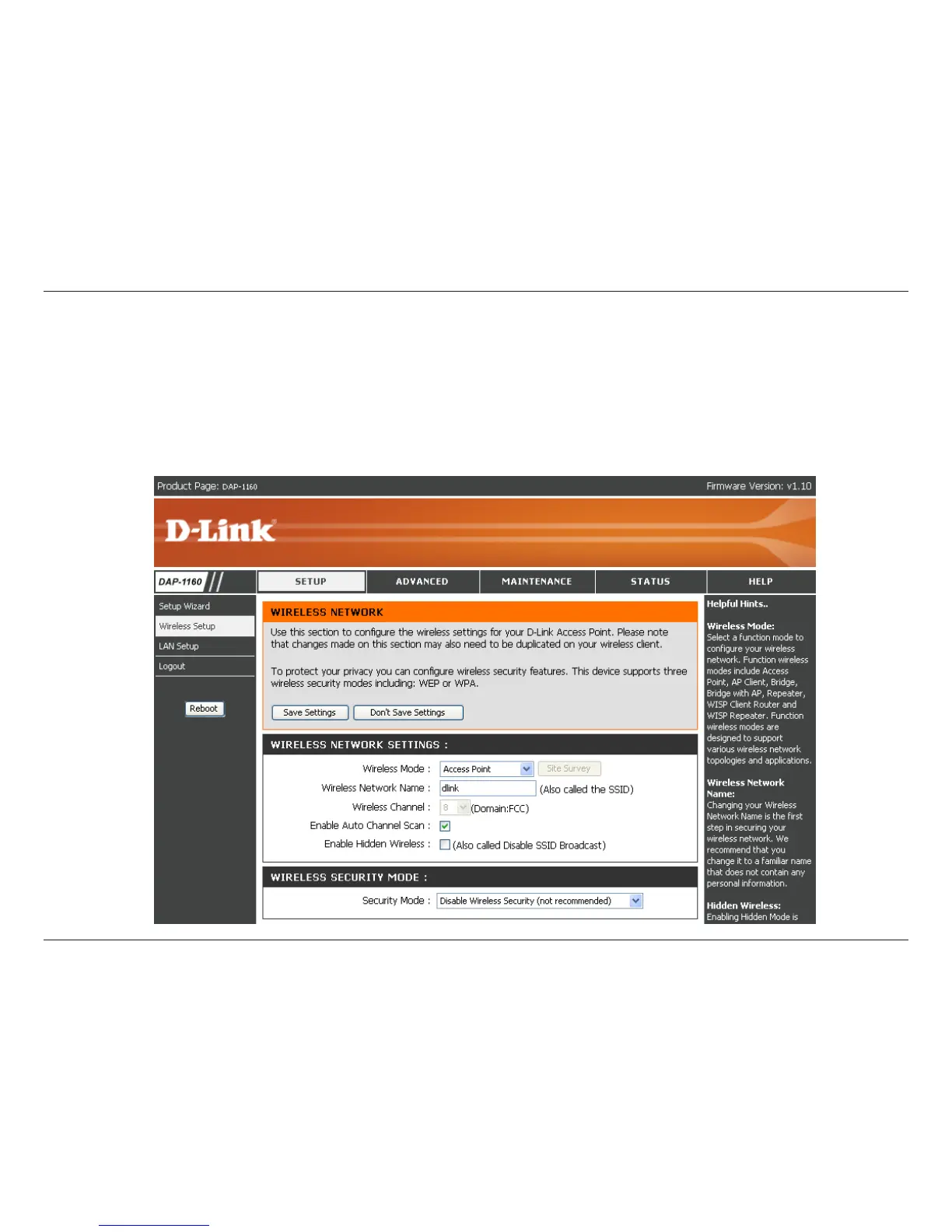
The Wireless Setup page is used to congure the wireless settings for the access point. Wireless security settings
can also be congured on this page. There are 7 possible wireless modes on the DAP-1160: Access Point, AP Client,
Bridge, Bridge with AP, Repeater, WISP Client Router, and WISP Repeater. See Appendix A in this manual for more
information about wireless modes. The rst step is to select one of the 7 modes from the drop-down menu next to
Wireless Mode under Wireless Network Settings.



 To Next Page