9D-Link DAP-1160 User Manual
Section 2 - Conguration
Conguration
This section will show you how to congure your new D-Link wireless access point using the web-based conguration
utility.
Web-based Conguration Utility
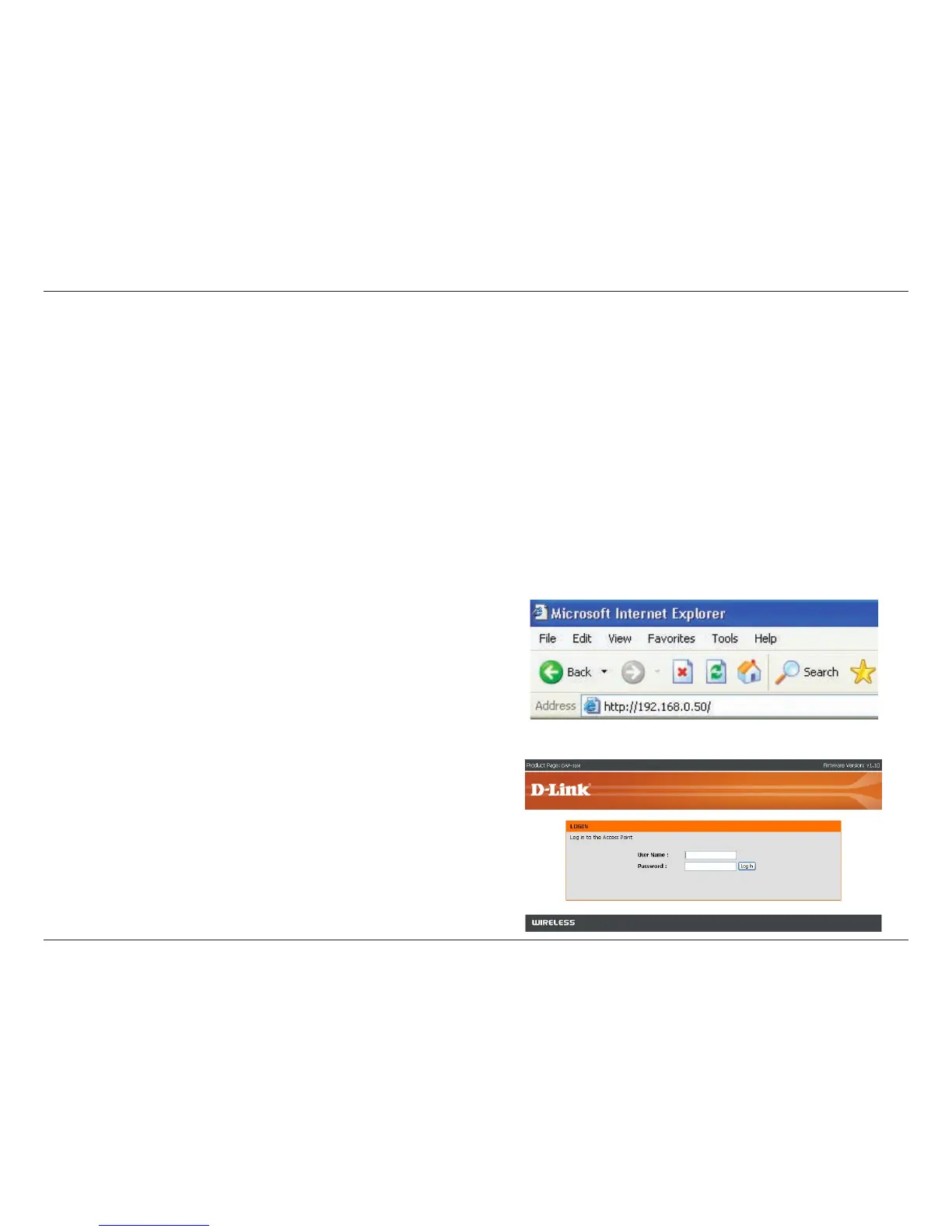
1. Open a web browser
2. Type in the IP address of the
DAP-1160 (192.168.0.50)
Use the Web-based Conguration Utility if you wish to change the default settings or optimize the performance of the
DAP-1160. After you have completed the initial installation, you can access the conguration menu at any time by opening
a web-browser and typing in the IP address of the DAP-1160. The DAP-1160’s default IP address is 192.168.0.50.
Follow the steps below to access the Web-based conguration utility.
Note: If you have changed the default IP address assigned to the DAP-1160, make sure to enter the correct IP address.
3. Type admin in the User Name
eld
4. Leave the Password eld blank
5. Click OK



 To Next Page