57D-Link DAP-1160 User Manual
Appendix A - Wireless Modes
Bridge Mode
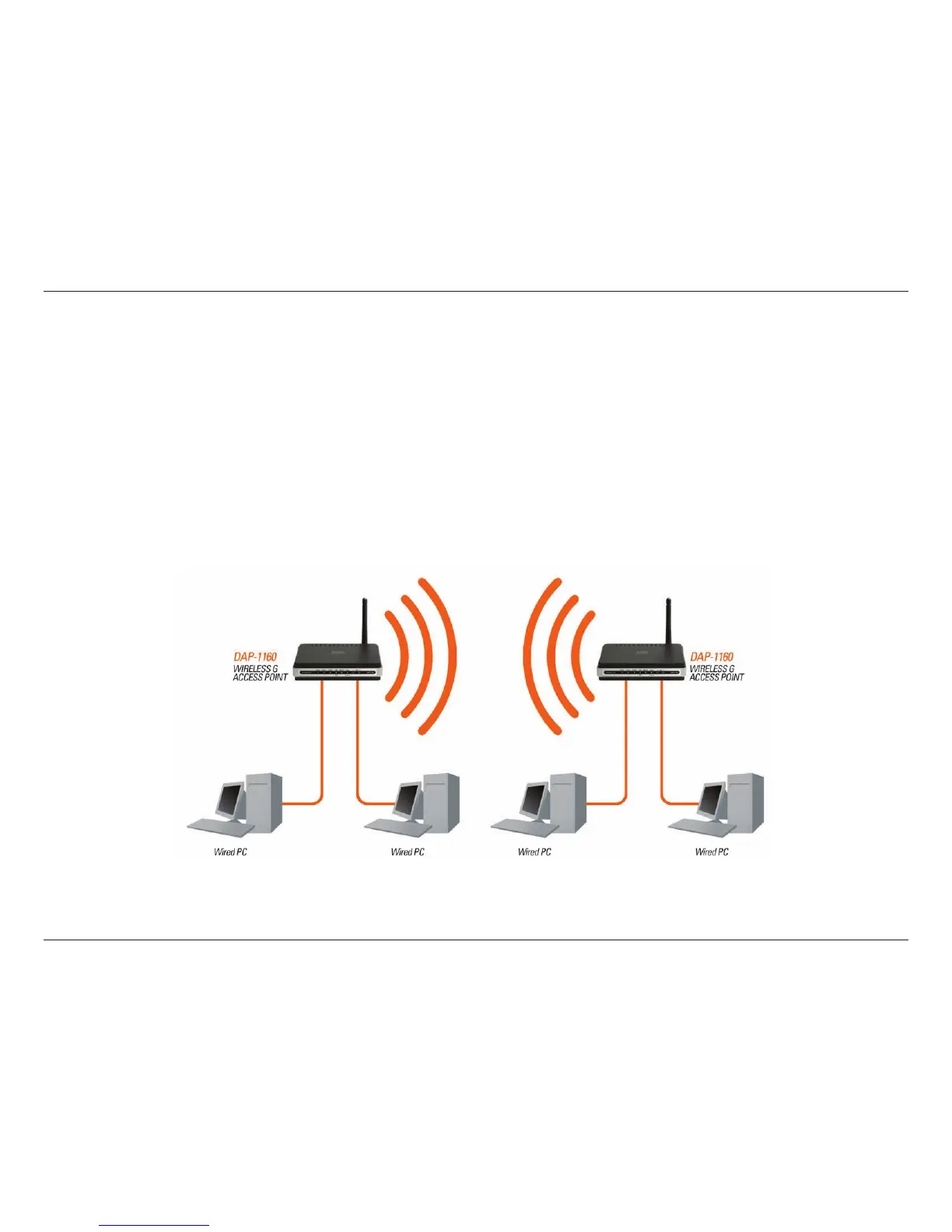
In Bridge mode, the DAP-1160 wirelessly connects seperate LANs that can’t easily be connected together with a cable.
For example, if there are wired LANs separated by a small courtyard, it would be expensive to bury cable between the
two sides. A better solution is to use two DAP-1160 units to wirelessly connect the two LANs. In Bridge mode, both
DAP-1160 units do not act as APs.
Note: Bridge Mode is not completely specied in Wi-Fi or IEEE standards. It can only work using other DAP-1160
units. Communication with other APs (even other D-Link APs) is not guaranteed.
Connecting Two Separate LANs Together Through Two DAP-1160 Units
(Wireless PCs Cannot Access the DAP-1160 Units)
LAN 1
LAN 2



 To Next Page