Need help?
Do you have a question about the D-Link DAP-X1870 and is the answer not in the manual?
Details the history of changes and versions of the manual.
Lists registered trademarks and company names mentioned in the document.
Lists all items included in the product box for the user.
Details the hardware and software needed to use the device.
Provides a brief overview of the product's purpose and key features.
Highlights the primary capabilities and benefits of the AX1800 Mesh Wi-Fi Extender.
Explains the function and purpose of a wireless extender in extending network range.
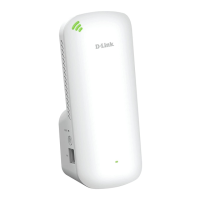
Identifies and describes the physical components and ports on the front of the device.
Explains the meaning and status of different LED indicators on the device.
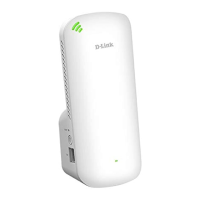
Identifies and describes the physical components and ports on the back of the device.
Locates essential network information sticker on the device's back for setup.
Provides guidelines for optimal placement and setup for wireless extenders.
Instructs on the initial physical setup step of plugging in the device.
Outlines various methods available for initial device configuration and setup.
Details how to set up the extender using the WPS Push Button Configuration method.
Guides users through the setup process using the D-Link Wi-Fi mobile application.
Explains how to configure the extender using the web-based setup wizard.
Describes how to configure the device to function as a wireless access point.
Explains how to set up the Wi-Fi Mesh network using the D-Link Wi-Fi app.
Provides steps for setting up the Wi-Fi Mesh network via an Ethernet cable connection.
Details how to connect wireless devices to the extender using the WPS button.
Instructions for connecting a Windows 10 device to the Wi-Fi network.
Instructions for connecting a Windows 8 device using WPA/WPA2 security.
Provides solutions for issues accessing the device's web-based configuration interface.
Explains the procedure to reset the extender if the admin password is forgotten.

 To Next Page
 General