D-Link DAP-X1870 User Manual
31
Section 3 - Conguration
Wireless - Smart Connect Disabled (Continued)
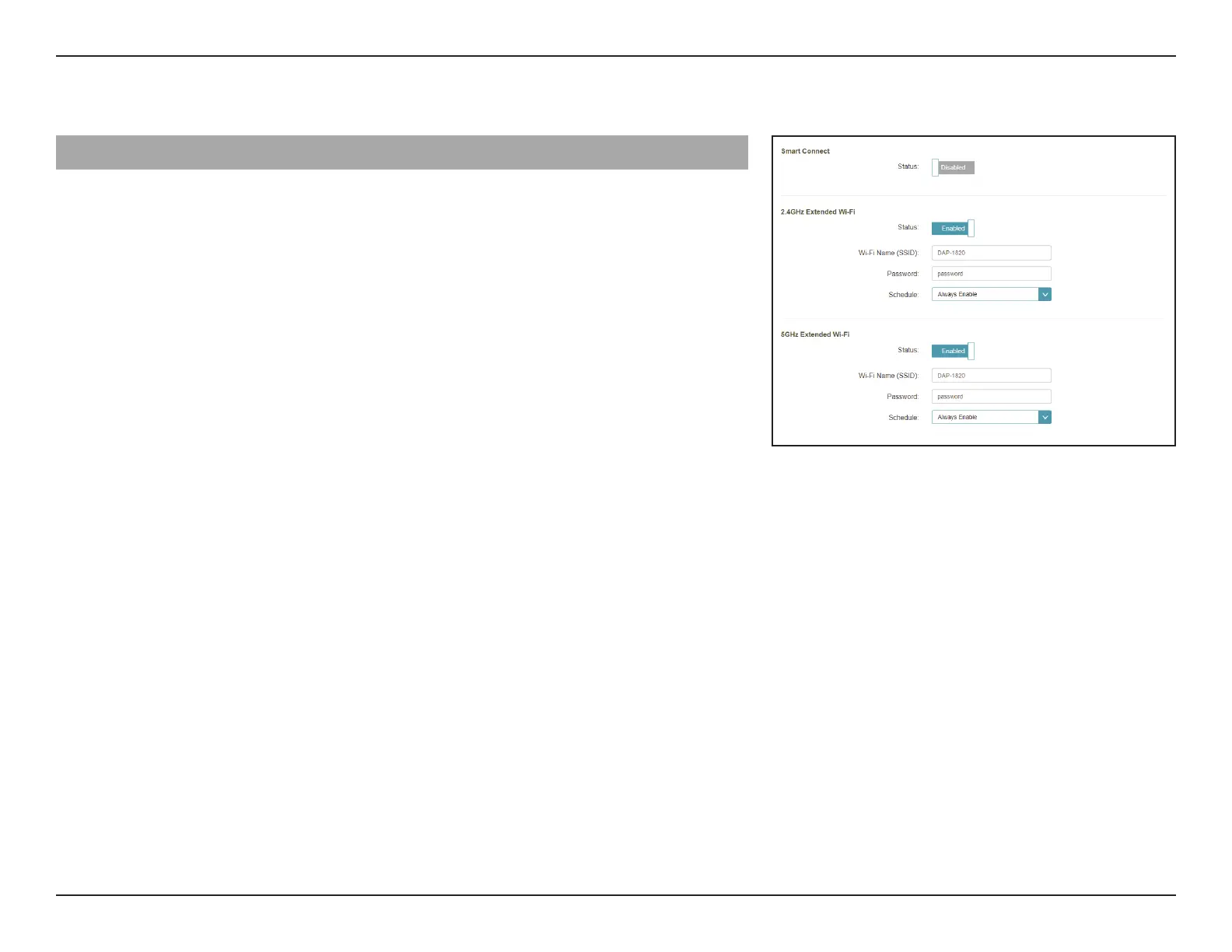
5 GHz Extended Wi-Fi
Status
Enable or disable the 5 GHz network by toggling this slider.
Wi-Fi Name (SSID)
This
is
the
name
of
the
DAP-X1870’s
extended
network.
If
using
Wi-Fi,
the
DAP-X1870
will
rebroadcast
the
uplink
router’s Internet
connection
under
this
SSID.
You
may
also
manually set the SSID of the extended network.
Password
Enter the password or network key that you wish to use for
the extended 5 GHz network.
Schedule
Use the drop-down menu to select the time schedule that the
rule will be enabled for. The schedule may be set to Always
Enable or Always.


 To Next Page