94D-Link DNS-323 User Manual
Section 3 - Configuration
Yahoo! Widget Configuration
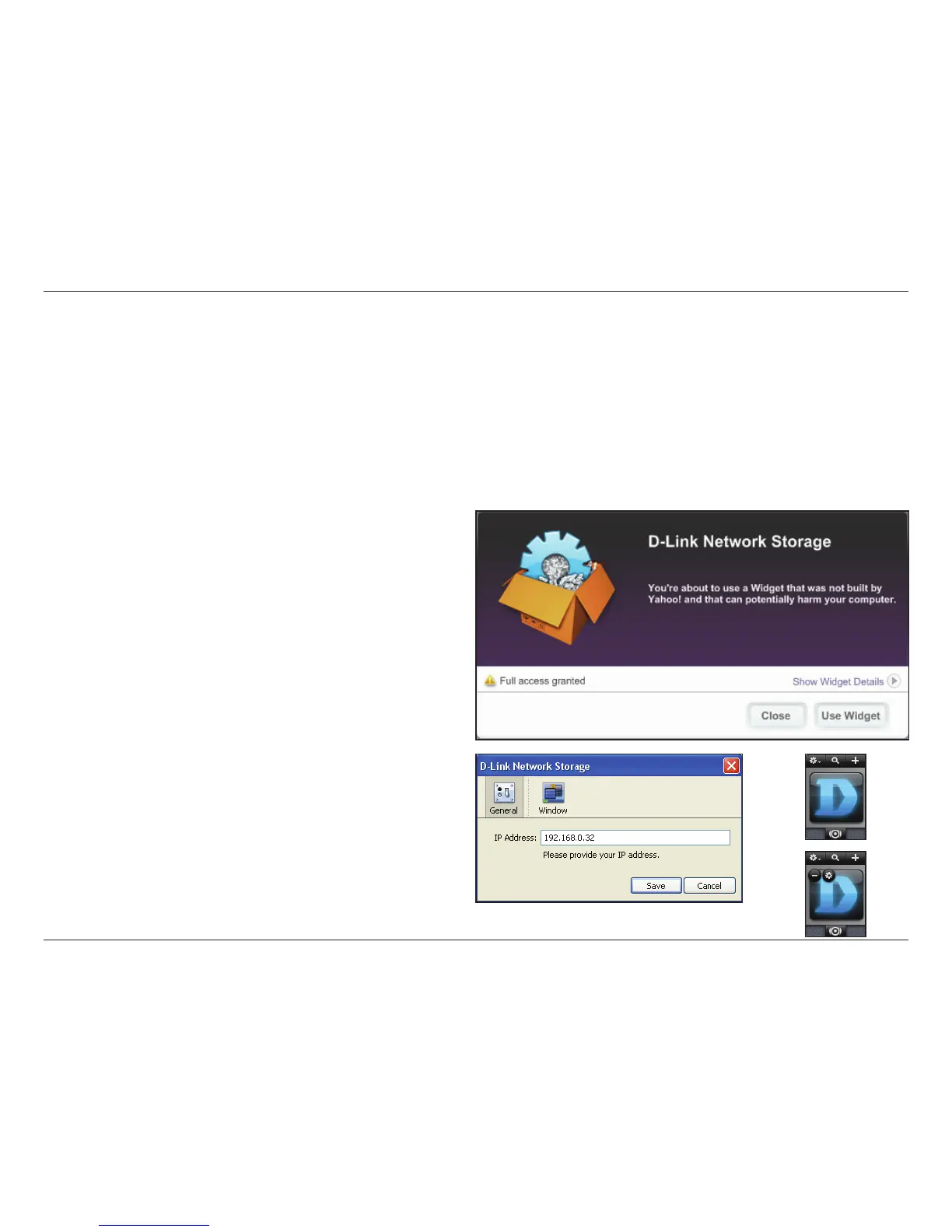
D-Link provides an added feature to the ShareCenter™ called a Yahoo! Widget.
What is a Yahoo Widget?
Yahoo! Widgets are free application platforms that can be used in Microsoft Windows and Mac OS X. The engine uses a JavaScript runtime
environment combined with an XML interpreter to run small applications referred to as widgets, and hence is part of a class of software
applications called widget engines.
Yahoo! Widget Installation
Install the Yahoo! Widget downloaded. Once
the Yahoo! Widget is installed a D-Link icon will
appear in your Widget Dock. Once you hover with
your mouse over the D-Link Widget you’ll be able
to click the conguration button.
Note: The software can be found in the CD-ROM
or downloaded from D-Link’s support site.
Click the conguration button to congure the
Widget.
Enter the IP Address of your DNS-323 and click
the Save button.
Now you are ready to use your new D-Link
Yahoo! Widget!
Step 1.
Step 2.















 To Next Page