Introduction
D-Link DPR-2000 User Manual 2
Introduction
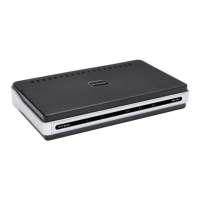
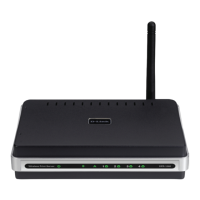
D-Link’s DPR-2000 USB Multifunction Print Server provides four USB printer ports
for connection to four USB printers and/or multifunction equipment. It allows you to
share these connected devices with a group of users on a wired Ethernet network as
well as an IEEE 802.11 wireless network. The DPR-2000 is designed primarily for
office use, where a cluster of printers and/or multifunction equipment is deployed in
a close proximity, such as in an equipment room. Multiple users can connect to
these printers and or multifunction equipment over the network via the DPR-2000 to
use these devices’ printing, scan and fax functions. The DPR-2000 manages the
flow of print and fax files from network users and delivers the print and fax jobs
quickly and efficiently. With four USB printer ports, the DPR-2000 eliminates the
need to buy four separate print servers for each shared printer/multifunction
equipment, as well as the trouble of separately installing them.
The DPR-2000 comes with easy to use software compatible with most
Windows-based networks. Protocol support for TCP/IP, NetBEUI and AppleTalk is
provided to ensure seamless connection to major networking operating systems.
In addition to this software, the DPR-2000 also has a built in web configurator that
allows the administrator to configure it and manage the multiple print queues through
TCP/IP, using a standard web browser program.
Comparing with a PC-based print server, the DPR-2000 improves the network
printing services in the following ways:
The DPR-2000 manages the print file traffic for all of the connected printers. This












 To Next Page