DVG-7111S User’s Manual ADVANCED
D-Link Systems, Inc. 52
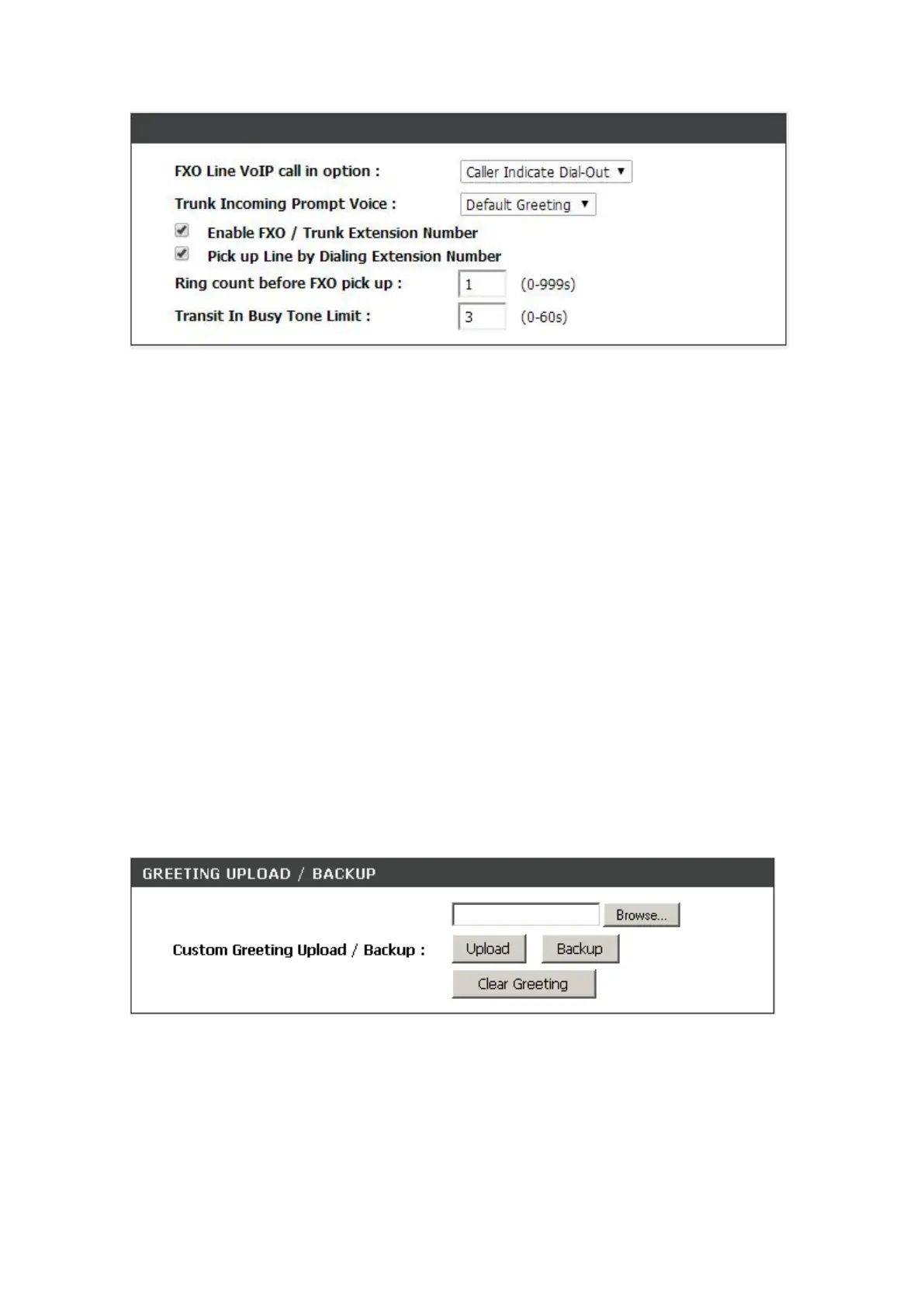
FXO Line VoIP call in options: Set FXO dial-out mode when the VoIP call indicates the FXO extension
number.
Caller Indicate Dial-Out: When someone makes a call to this FXO port from Internet, it will dial
to PSTN with the number assigned in SIP packet.
Default Dial-Out: When some one makes a call to this FXO port from Internet, it will dial to PSTN
with the number filled in “FXO Line Default Dial-Out”.
Trunk Incoming Prompt Voice: Select the greeting when FXO receives an inbound call (transit in).
Enable FXO/Trunk Extension Number: Allows user to dial just the FXO extension – 702 - to use when
the PSTN line is connected on the FXO port.
Pick up Line by Dialing Extension Number: Allows 2-stage dialing from VoIP to PSTN. After hearing
the second dial tone, dial the PSTN number.
Hot Line: Check to direct the call automatically to a pre-configured destination without any action when
the FXS is off-hook. (ie. as the user picks up the phone). When the FXS is under Hot Line mode, no
other phone numbers can be dialed.
Ring count before FXO pick up: Enter the ring count before FXO answer the call for detecting Caller
ID sent from PSTN.
Transit In Busy Tone Limit: The duration VoIP TA plays a busy tone before FXO hook-on. To notify
the caller from PSTN that this call is finished.
ADVANCED → VoIP → Hot Line
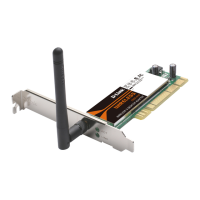
Browse: Click the Browse button to locate a saved voice file.
Upload: Once you locate the file, click Upload to update the greeting file.
Backup: Click the Backup button to save your current settings to a file.
Clear Gretting: Click the Clear Gretting button to delete the curretn voice file.


 To Next Page