36D-Link DWA-510 User Manual
Section 4 - Wireless Security
Configure WEP
Using the Windows
®
XP Utility
ItisrecommendedtoenableWEPonyourwirelessrouteroraccesspointbeforeconguringyourwirelessadapter.Ifyouarejoining
anexistingnetwork,youwillneedtoknowtheWEPkeybeingused.
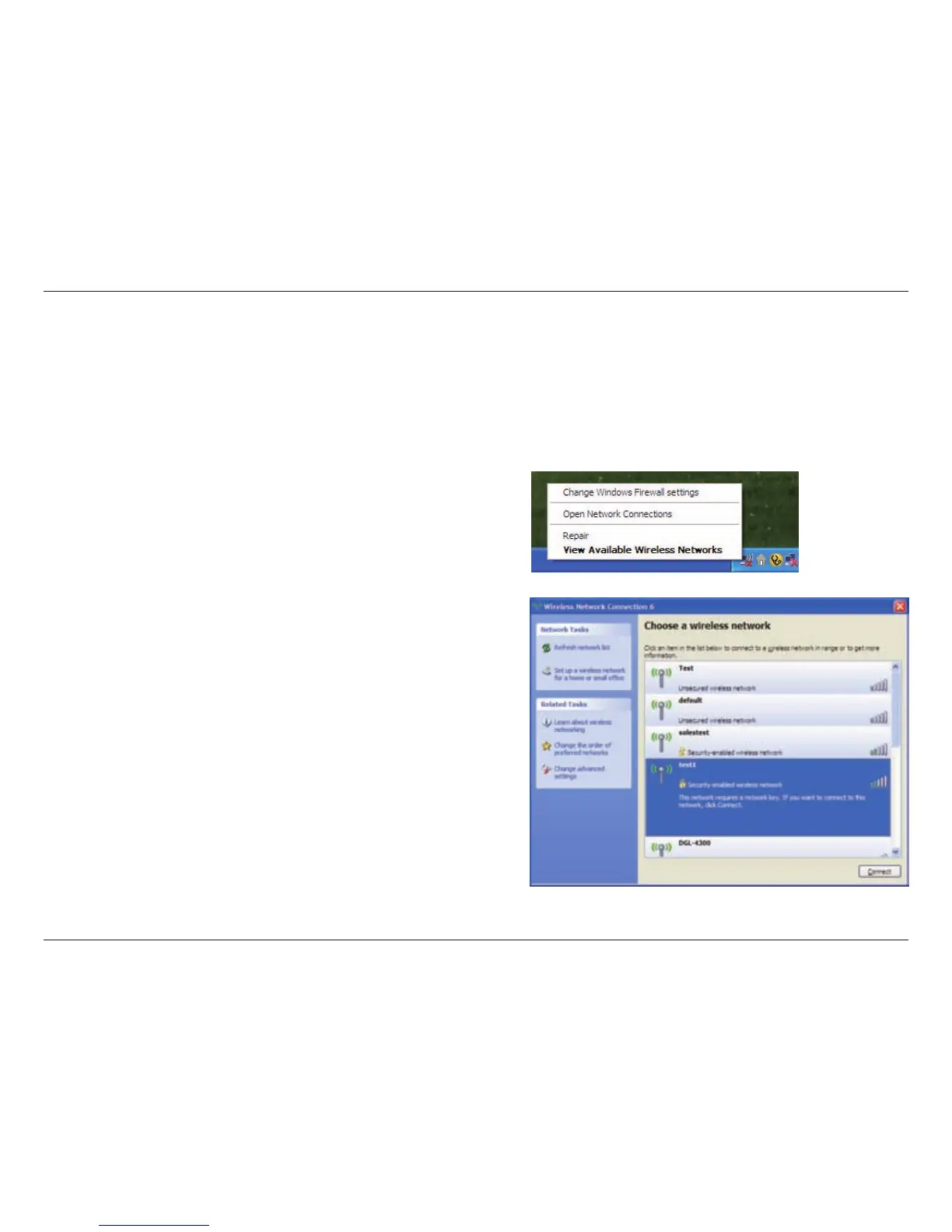
2. Highlight the wireless network (SSID) you would like to
connect to and click Connect.
1. Open the Windows
®
XP Wireless Utility by right-clicking
on the wireless computer icon in your system tray
(lower-rightcornerofscreen).SelectView Available Wireless
Networks.



 To Next Page
 Loading...









