10
UsingtheCongurationUtility(continued)
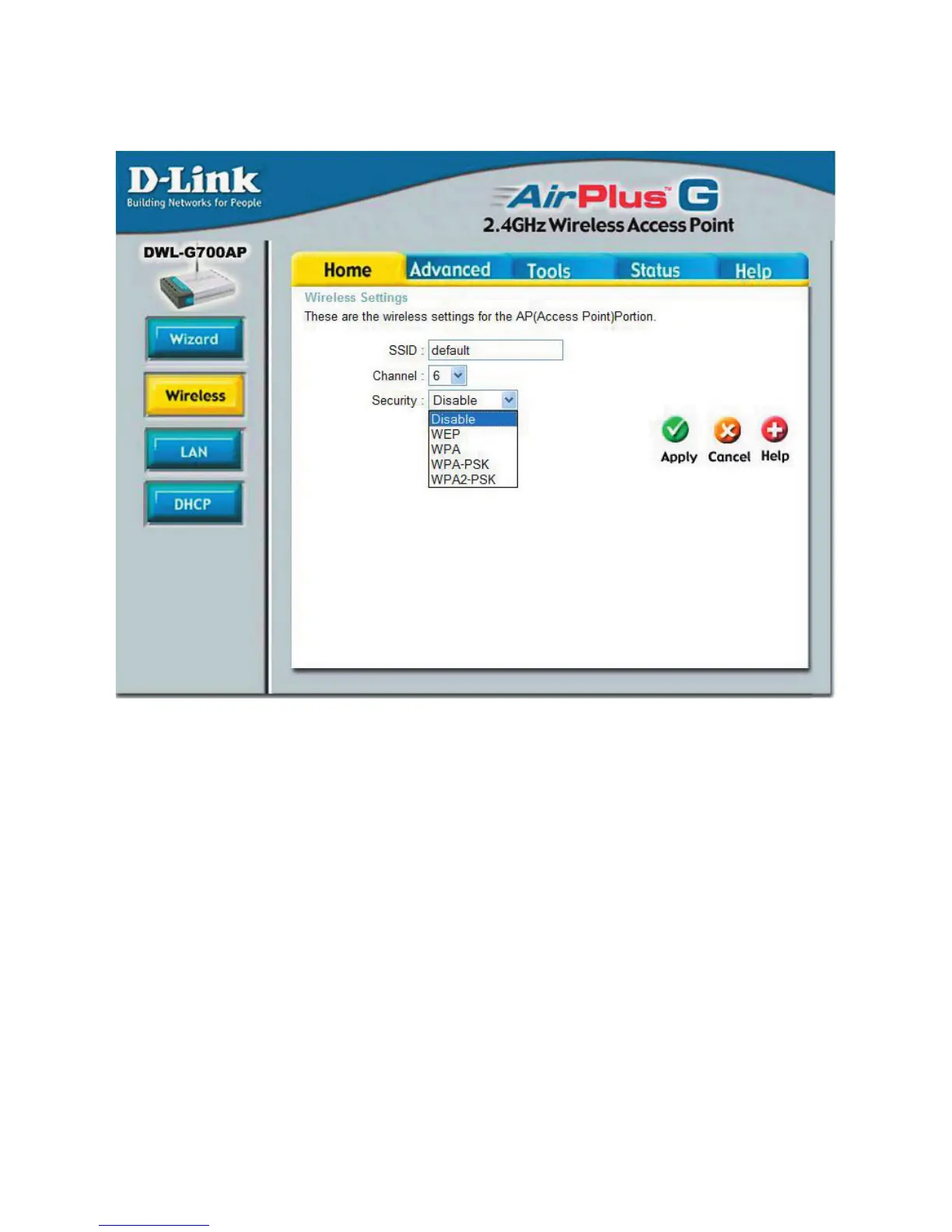
Home>Wireless
SSID:(ServiceSetIdentier)Defaultisthedefaultsetting.TheSSIDisaunique
namethatidentiesanetwork.AlldevicesonanetworkmustsharethesameSSID
nameinordertocommunicateonthenetwork.
IfyouchoosetochangetheSSIDfrom
thedefaultsetting,inputyournewSSIDnameinthiseld.
Channel:Channel6isthedefaultchannel.Inputanewnumberifyouwanttochange
the default setting.All devices on the network must be set to the same channel to
communicateonthenetwork.
Security:Selectthelevelofsecurityforyourwirelessnetwork:
Disable:Selecttousenosecurity.
WEP:SelecttouseWEPEncryption.
WPA:SelecttouseWPA(WiFiProtectedAccess)authenticationinconjunction
withaRADIUSserver.
WPAPSK/WPA2PSK:SelecttouseWPAPSKorWPA2PSKwithouta
RADIUSserver.












 To Next Page