14
UsingtheCongurationUtility(continued)
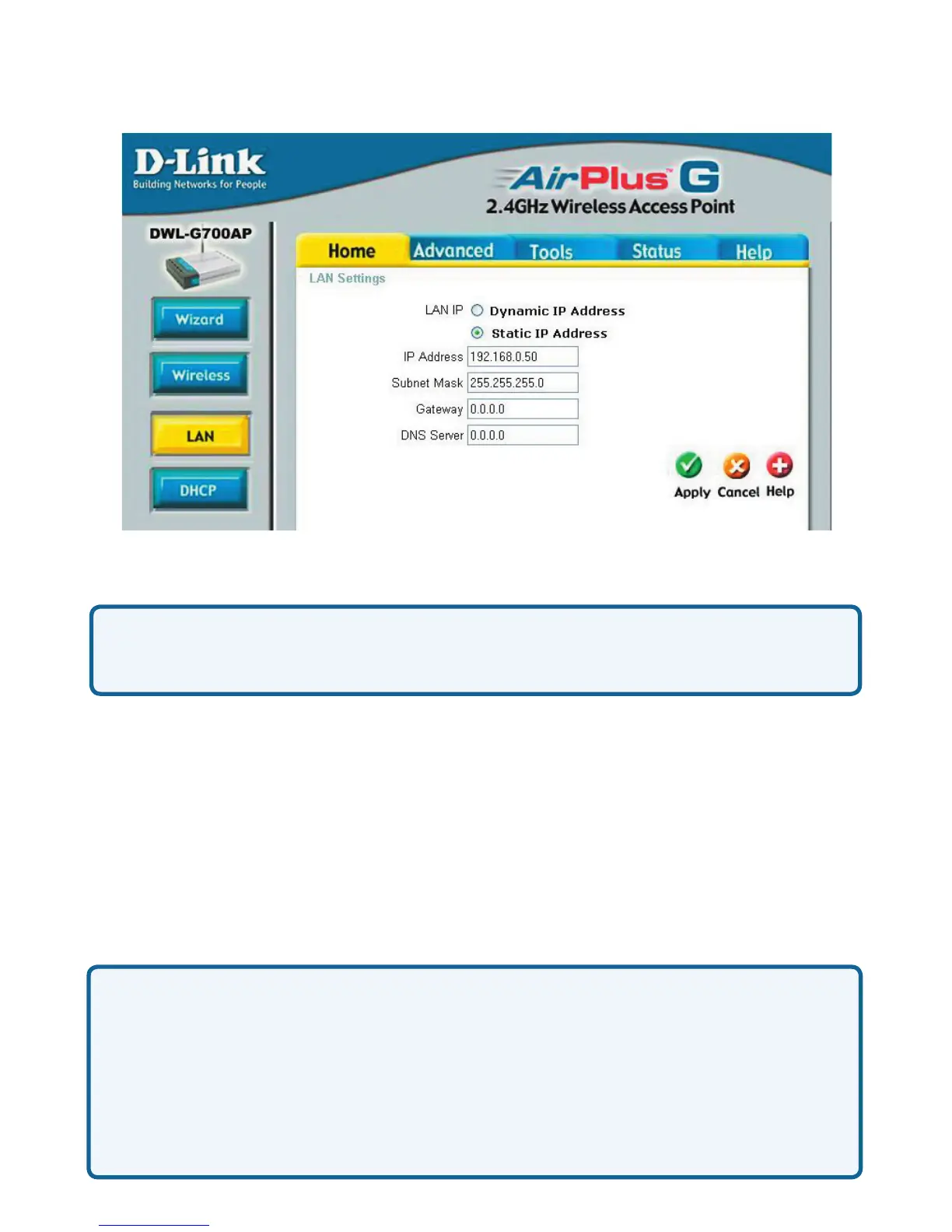
DynamicIPAddress:SelectthisoptionifyouwouldliketohaveanIPAddress
automaticallyassignedtotheDWLG700APbyaDHCPserverinyournetwork.
DHCPstandsforDynamicHostCongurationProtocol.Itisaprotocolforassigning
dynamicIPaddresses“automatically.”WithaDHCPServerthereisnoneedto
manuallyassignanIPAddress.
StaticIPAddress:SelectthisoptionifyouaremanuallyassigninganIPAddress.
IPAddress:192.168.0.50isthedefaultIPAddressoftheAccessPoint.
SubnetMask:255.255.255.0isthedefaultSubnetMask.Alldevicesonthe
networkmusthavethesamesubnetmasktocommunicateonthenetwork.
Gateway:EntertheIPAddressoftherouterinyournetwork
DNSServer:
Home>LAN
IPAddress
IfyouneedtoassignstaticIPaddressestothedevicesinyournetwork,please
rememberthattheIPaddressforeachcomputerordevicemustbeinthesame
IPaddressrangeasallthedevicesinthenetwork.Eachdevicemustalsohave
thesamesubnetmask.Forexample:AssigntherstcomputeranIPaddressof
192.168.0.2andasubnetmaskof255.255.255.0,theseconddeviceanIPaddress
of192.168.0.3andasubnetmaskof255.255.255.0,andsoon.Note:Devicesthat
areassignedthesameIPaddressmaynotbevisibleonthenetwork.
EntertheIPaddressoftheDNSserver.TheDNSservertranslates
domainnamessuchaswww.dlink.comintoIPaddresses.












 To Next Page