3D-Link DWR-730 User Manual
Section 1 - Product Overview
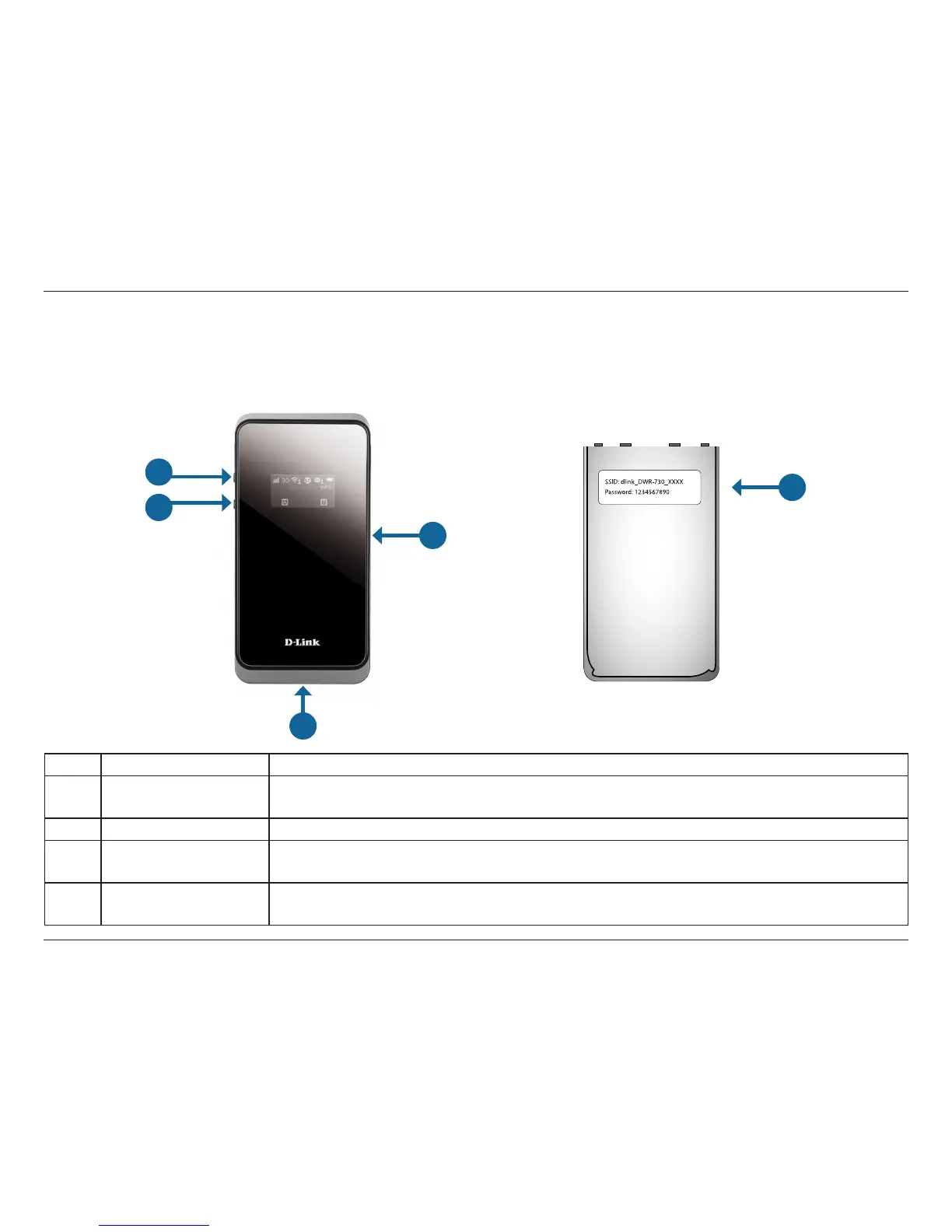
Hardware Overview
Front Side and Battery Cover
1 Power Button Press and hold this button for 6 seconds to power on/o the device.
2 WPS Button
Press this button to add new wireless devices quickly and easily using Wi-Fi Protected
Setup (WPS). Press and hold for more than 5 seconds to turn the wireless function on/o.
3 microSD Card Slot Insert a microSD Card (up to 32GB) to access and share les and media wherever you go.
4 micro USB Connector
Use the included cable to connect to a powered USB port to charge the device or to
access the conguration utility.
5
Default Network
Name and Password
This label displays the DWR-730’s default network name (SSID) and network security key
(Wi-Fi password).
1
2
3
4
5



 To Next Page