16D-Link DWR-932 User Manual
Section 3 - Conguration
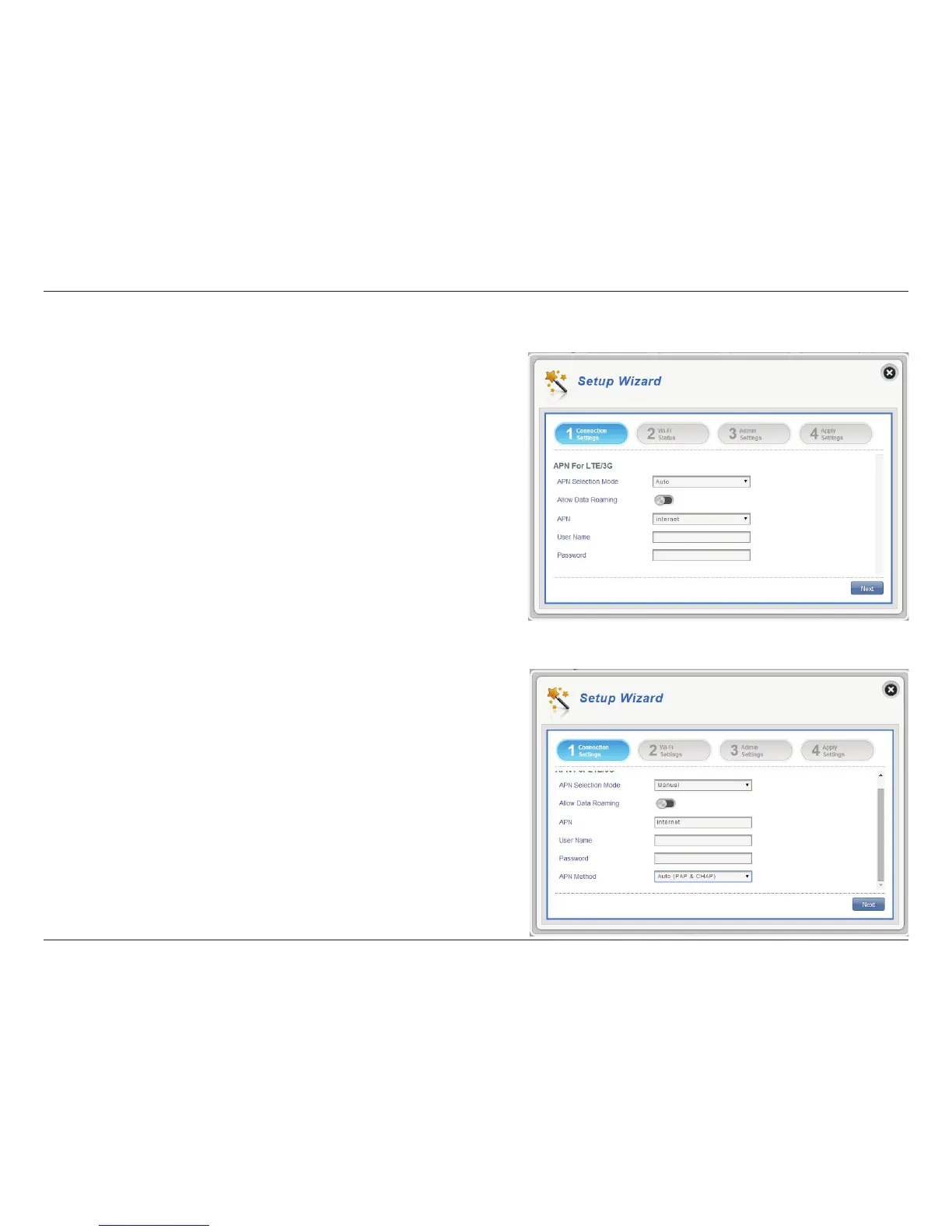
Connection Settings
APN Selection Mode
Allow Data Roaming
APN
User Name and Password
(optional)
Choose to either automatically or manually select
an APN.
Select this if you want to allow data roaming.
Enter your service provider’s APN.
Enter the username and password provided by your
service provider.
Auto (PAP & CHAP)
PAP
CHAP
Both PAP and CHAP combined.
Select this if your service provider uses this protocol.
Password Authentication Protocol. Select this if your
service provider uses this protocol.
Challenge Handshake Authentication Protocol.
Select this if your service provider uses this protocol.
Click Next to move to the next section.
In this section you can congure your connection settings. Depending on your
mobile service provider, you may have to input optional settings before use, if
so, you may need to contact your service provider regarding these details.
If you choose to manually select your APN.
APN For LTE/3G



 To Next Page