4D-Link DWR-932 User Manual
Section 1 - Product Overview
Hardware Overview
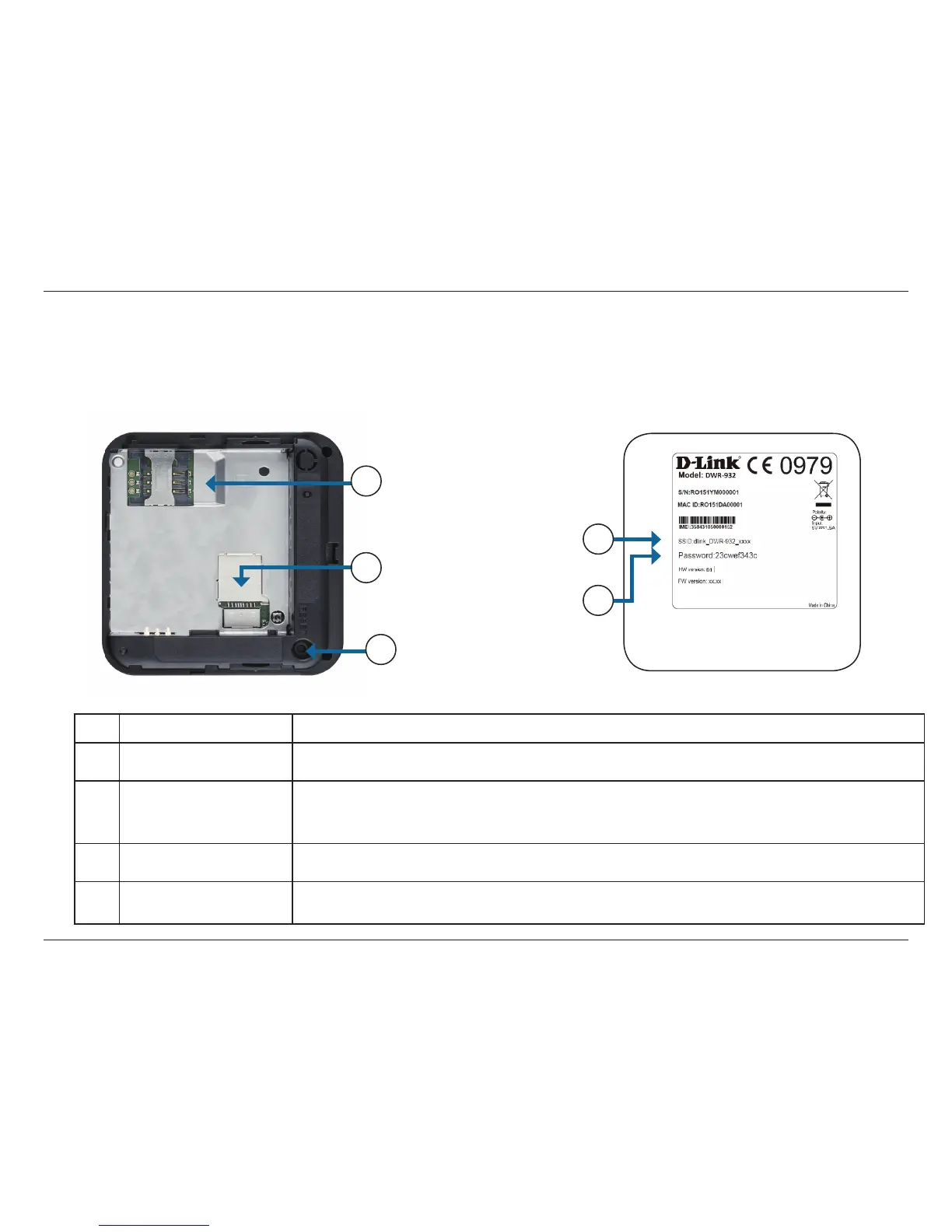
Under Side and Battery Cover
1 microSD Card Slot Insert a microSD card for data storage.
2 SIM Card Slot Insert a SIM card to access the Internet and your SIM card contacts list.
3 Reset Button
Using a paper clip, press and hold this button for 6 seconds to reboot the unit.
Note: Ensure that the battery is inserted and the unit is powered on when pressing the
reset button.
4 Wi-Fi Network (SSID) The network name (SSID) of the DWR-932 will be displayed here.
5
Network (SSID)
Password
The network (SSID) password of the DWR-932 will be displayed here.
1
2
3
4
5



 To Next Page