104D-Link ShareCenter DNS-325 User Manual
Section 4 - Conguration
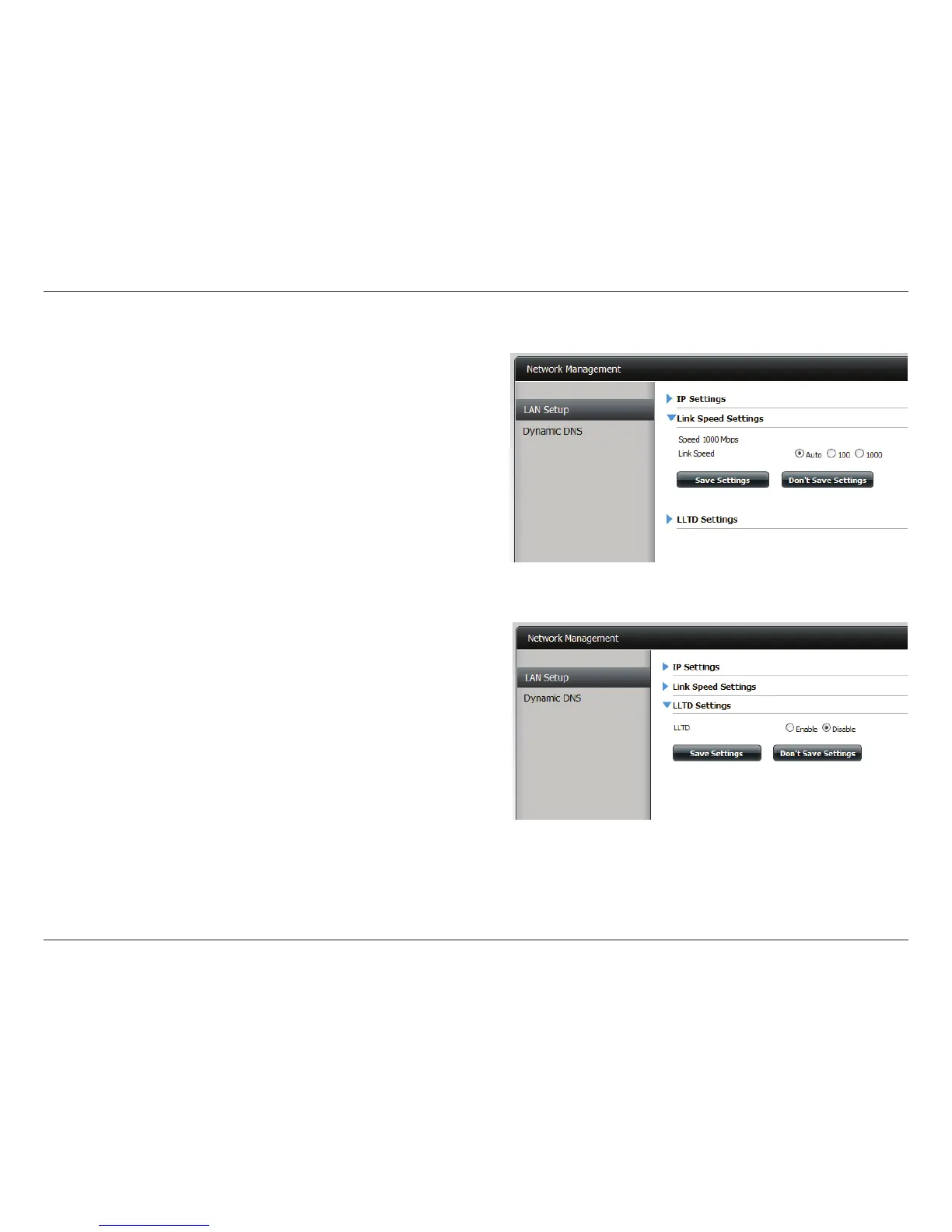
Link Speed and LLTD Settings
Speed: Displays the current Ethernet bit rate in Megabits per
second.
Link Speed: Select either Auto (Auto-Negotiate), 100 Mbps, or 1000
Mbps by clicking the appropriate radio button. Then click
the Save Settings button to save the new settings.
LLTD: The device supports LLTD (Link Layer Topology Discovery)
and is used by the Network Map application that is included
in Windows Vista® and Windows® 7.
Select to enable or disable LLTD.



 To Next Page
 Loading...