105D-Link ShareCenter DNS-325 User Manual
Section 4 - Conguration
Dynamic DNS
The DDNS feature allows the user to host a server (Web, FTP, Game Server, etc…) using a domain name that you have purchased
(www.whateveryournameis.com) with your dynamically assigned IP address. Most broadband Internet Service Providers assign dynamic (changing)
IP addresses. Using a DDNS service provider, your friends can enter your domain name to connect to your server regardless of your IP address.
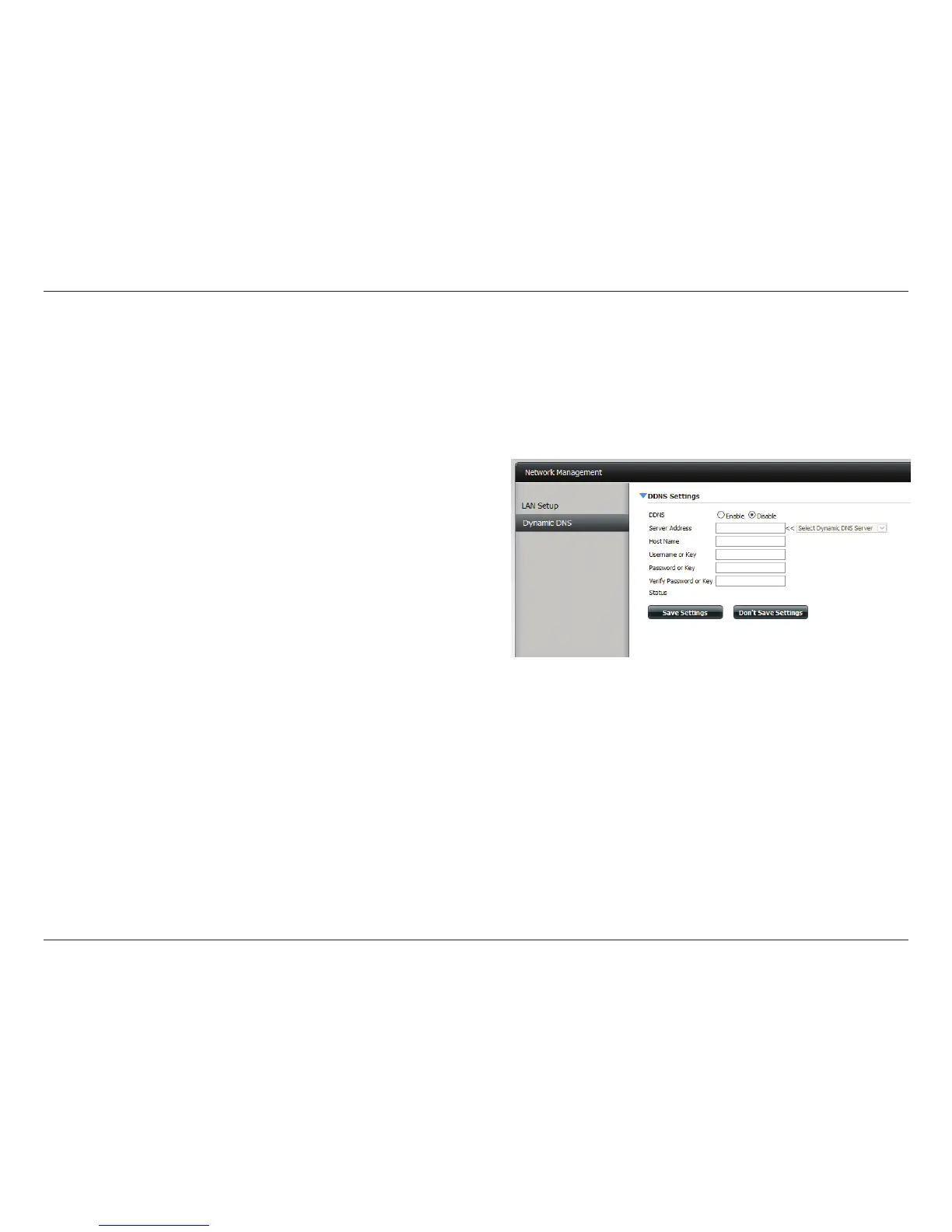
DDNS: Select Enable or Disable.
Server Address: Select a DDNS Server from the combo box on
the right hand-side, or type in the server address
manually.
Host Name: Enter your DDNS host name.
Username or Key: Enter your DDNS username or key.
Password or Key: Enter your DDNS password or key.
Verify Password or
Key:
Re-enter your password or key.
Status: Displays your DDNS status.
When the user clicks on the “Sign up for D-Link’s Free DDNS service at
www.DLinkDDNS.com” link, the user will be re-directed to the D-Link
DDNS page.
Here the user can create or modify a D-Link DDNS account to use in
this conguration.
DDNS Settings



 To Next Page
 Loading...