124D-Link ShareCenter DNS-325 User Manual
Section 4 - Conguration
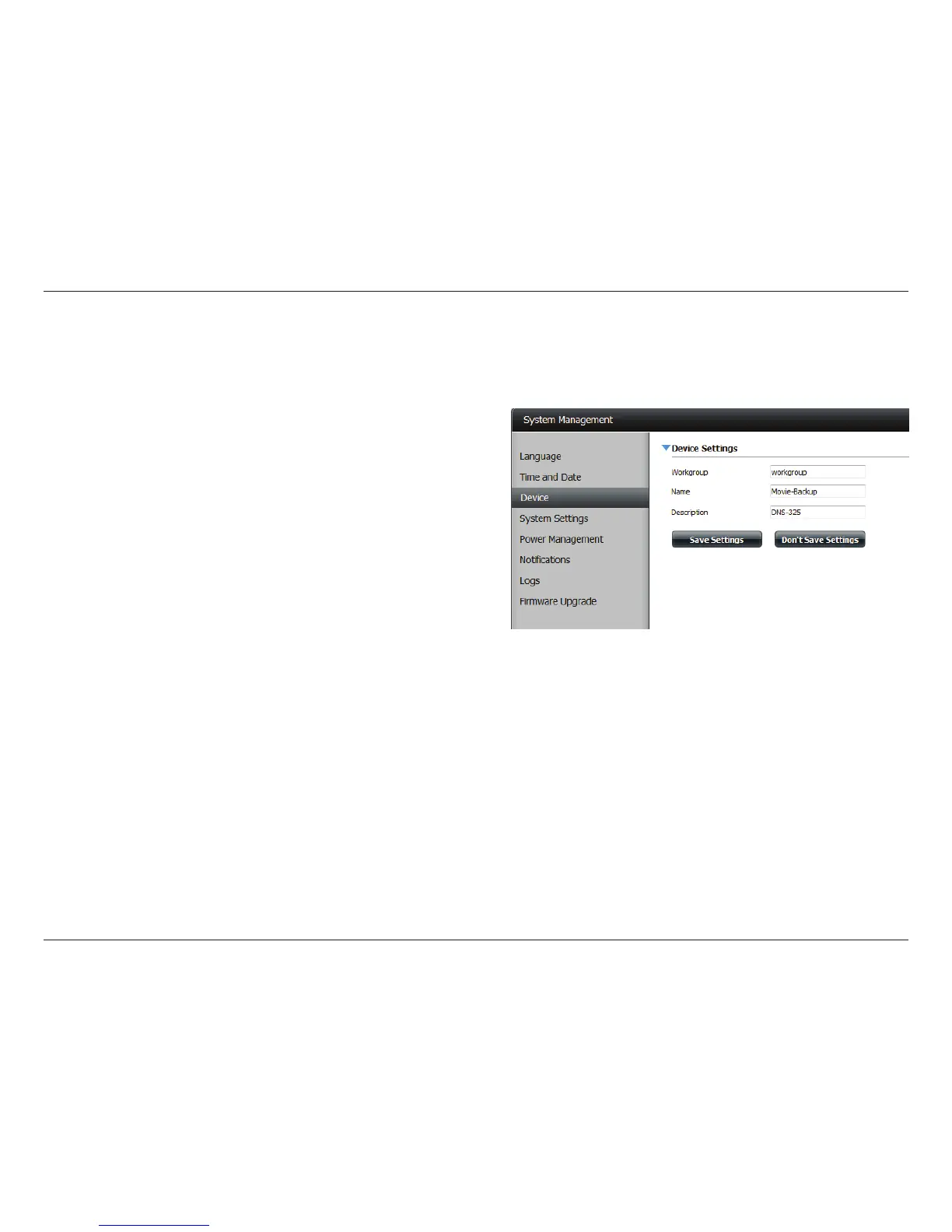
Workgroup: Enter your Workgroup name here. The workgroup name
should be the same as the computers on the network.
Devices using the same workgroup will have additional
le sharing methods available.
Name: Enter your device name here. This name is what the device
will appear as on the network. By default, the device name
is dlink-xxxxxx, where xxxxxx is the last six digits of the
MAC address.
Description: Assign a device description to the device.
Click Save Settings to accept these changes.
Device
The device settings page allows you to assign a workgroup, name and description to the device. You can access this device by typing the host name
in the URL section of your web browser. For example: http://dlink-d10001.



 To Next Page
 Loading...