127D-Link ShareCenter DNS-325 User Manual
Section 4 - Conguration
Power Management
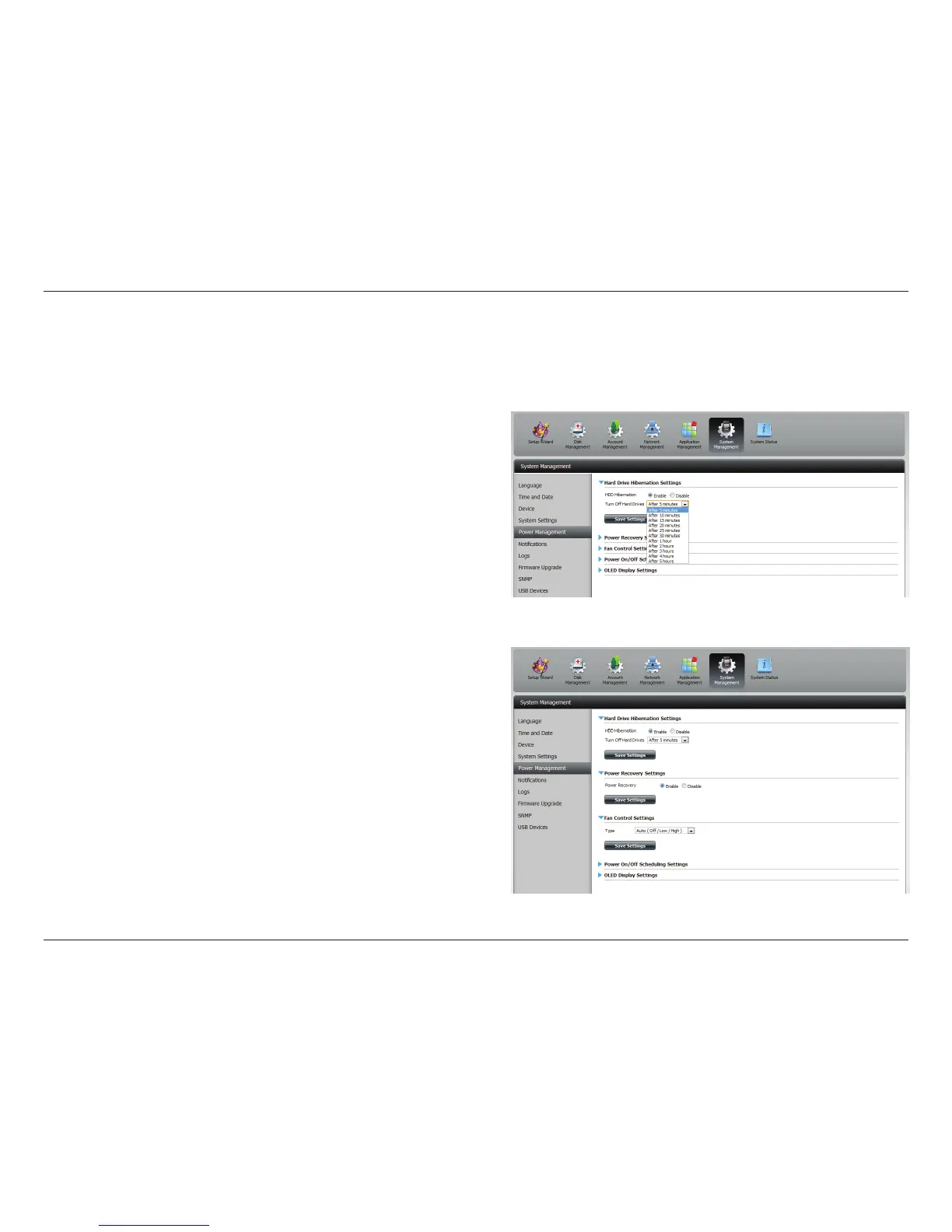
The ShareCenter™ Power Management feature allows you to congure the drives to shut down while power remains constant to the device. The
drives will power up again when data is accessed.
Click System Management , then Power Management.
Click Enable to enable hard drive hibernation. Then from the drop-
down list select a time frame.
Click the blue arrow to reveal Power Recovery.
Select Enable to use Power Recovery.
Click Save Settings to continue.



 To Next Page
 Loading...