207D-Link ShareCenter DNS-325 User Manual
Section 4 - Conguration
Applications - FTP Downloads
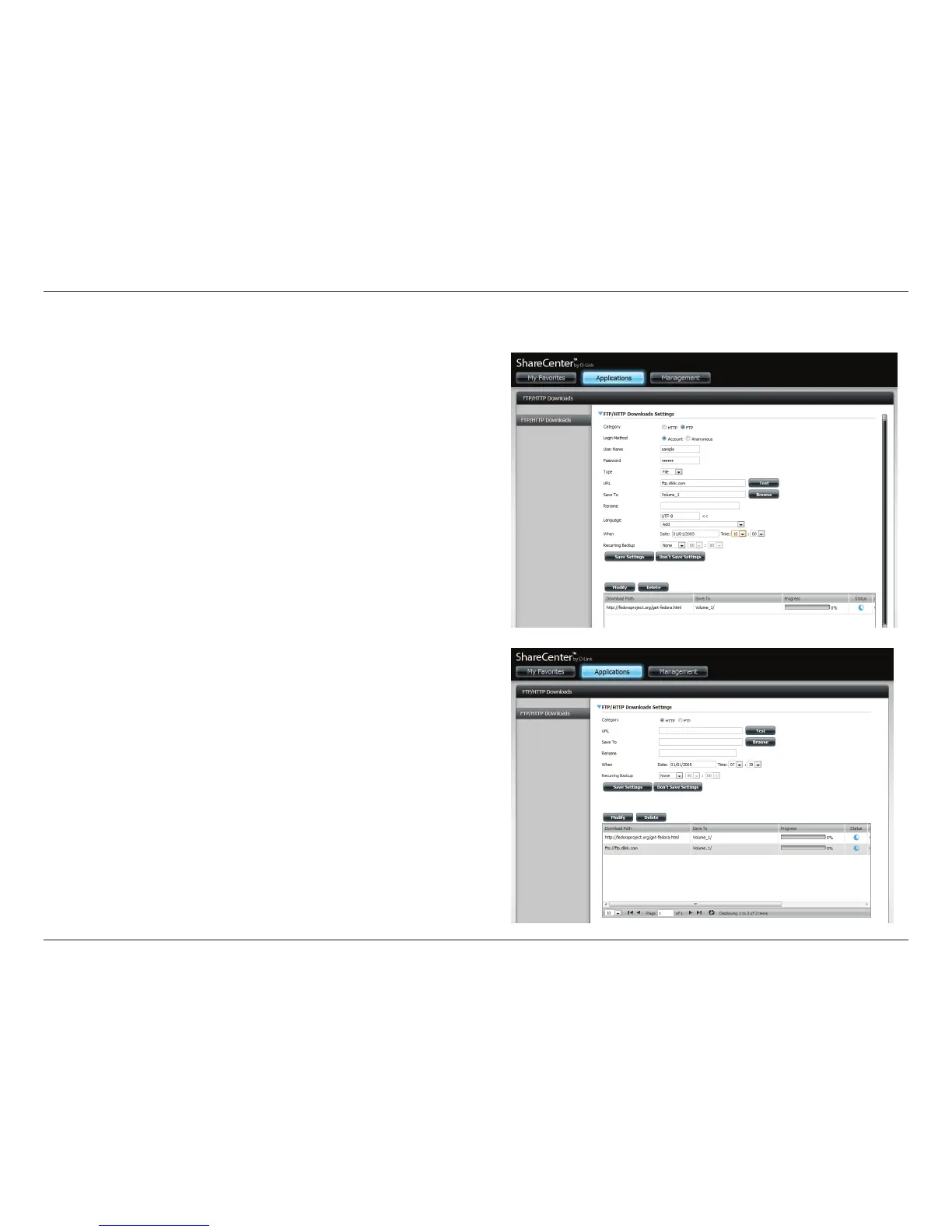
Click Applications, then FTP.
1. Select Account as the Login Method.
2. Enter a username and password.
3. Select a type.
4. Enter a URL.
5. Browse to a location to save les to.
6. Select the Language and Scheduling.
Click Save Settings.
The table below will now show the FTP path and status.



 To Next Page
 Loading...