230D-Link ShareCenter DNS-325 User Manual
Section 5 - Knowledge Base
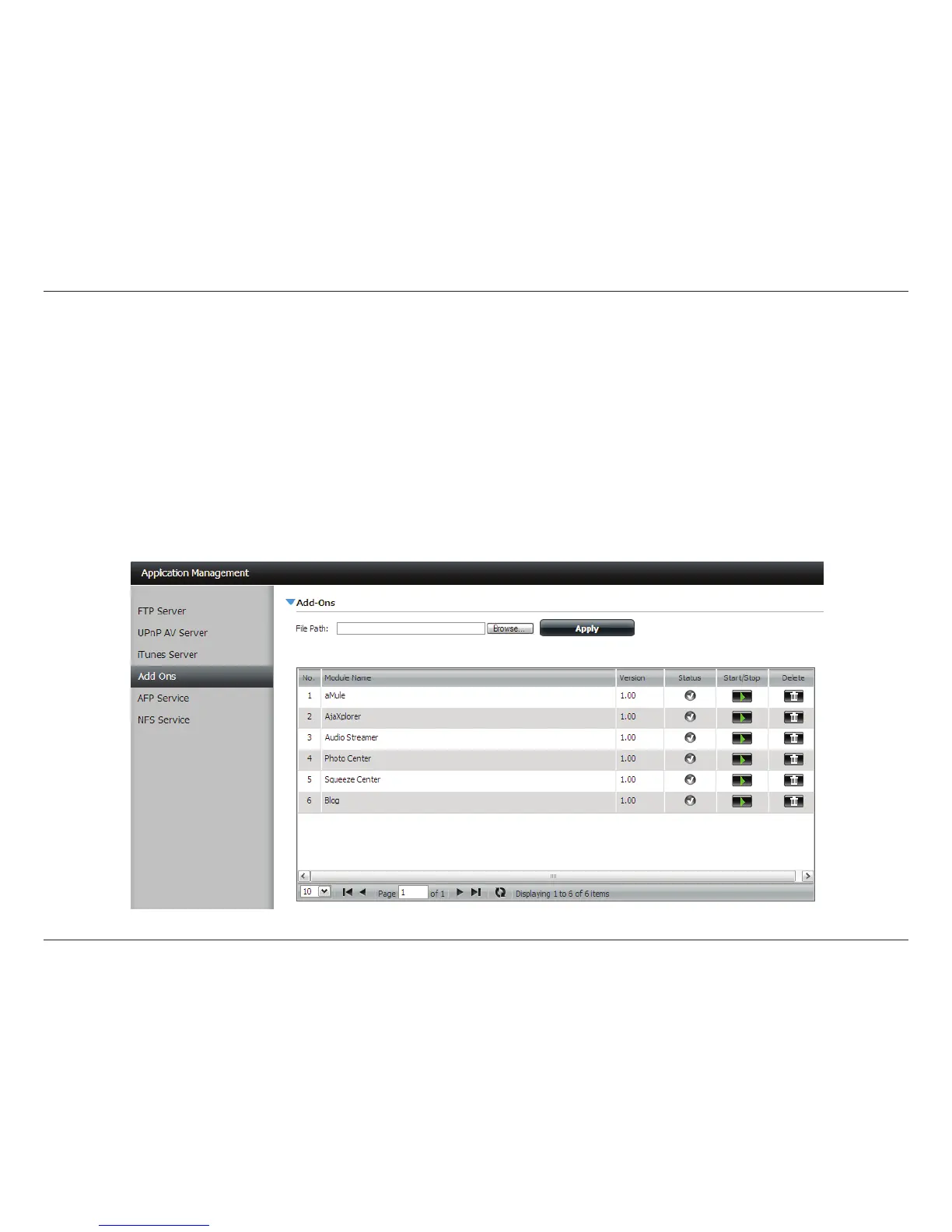
Add-ons are Software Applications that extend the capability of your ShareCenter™. Several add-on packages come with
your ShareCenter
™ and some can be installed with the CD-ROM ShareCenter™ Setup Wizard. To install add-ons within the Web
UI go to the Management Tab - Icon: Application Management. You will nd an Add-ons menu item that you can click. The
Add-ons menu provides the following:
y Installs (Apply button) add-on software onto your ShareCenter™.
y Displays a list of installed add-ons and shows their version and status.
y Enables and Disables (Start/Stop button) add-ons so that you do not over utilize your ShareCenter™ CPU resources.
y Removes (Delete button) the add-on software from your ShareCenter™.
Add-Ons



 To Next Page
 Loading...