26D-Link ShareCenter DNS-325 User Manual
Section 3 - Installation
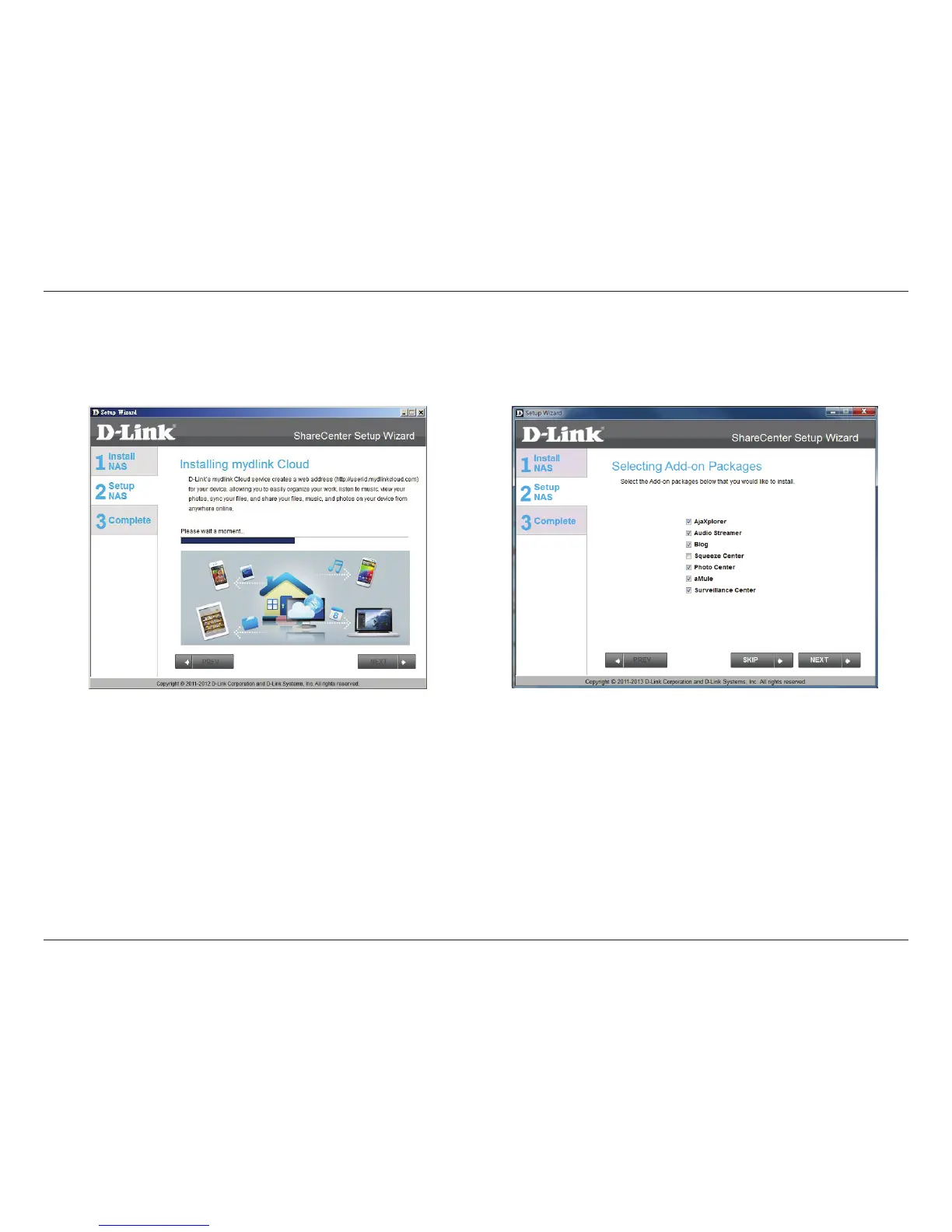
Installing mydlink Cloud and Selecting Add-on Packages
Step 24 - Your ShareCenter™ supports cloud
services. D-Link have provided a cloud service
that when installed allows you to send les from
your NAS to the mydlink Cloud service. Read the
installation instructions and wait for the process
to complete.
Click Next to continue.
Step 25 - Your ShareCenter
™ supports Add-On
packages. Here you may install the AjaXplorer,
Audio Streamer, Blog, SqueezeCenter, Photo
Center, aMule, and Surveillance Center add-ons
which extend the application functionality of
your ShareCenter
™.
Click Next to continue.



 To Next Page
 Loading...