31
Schedule Re
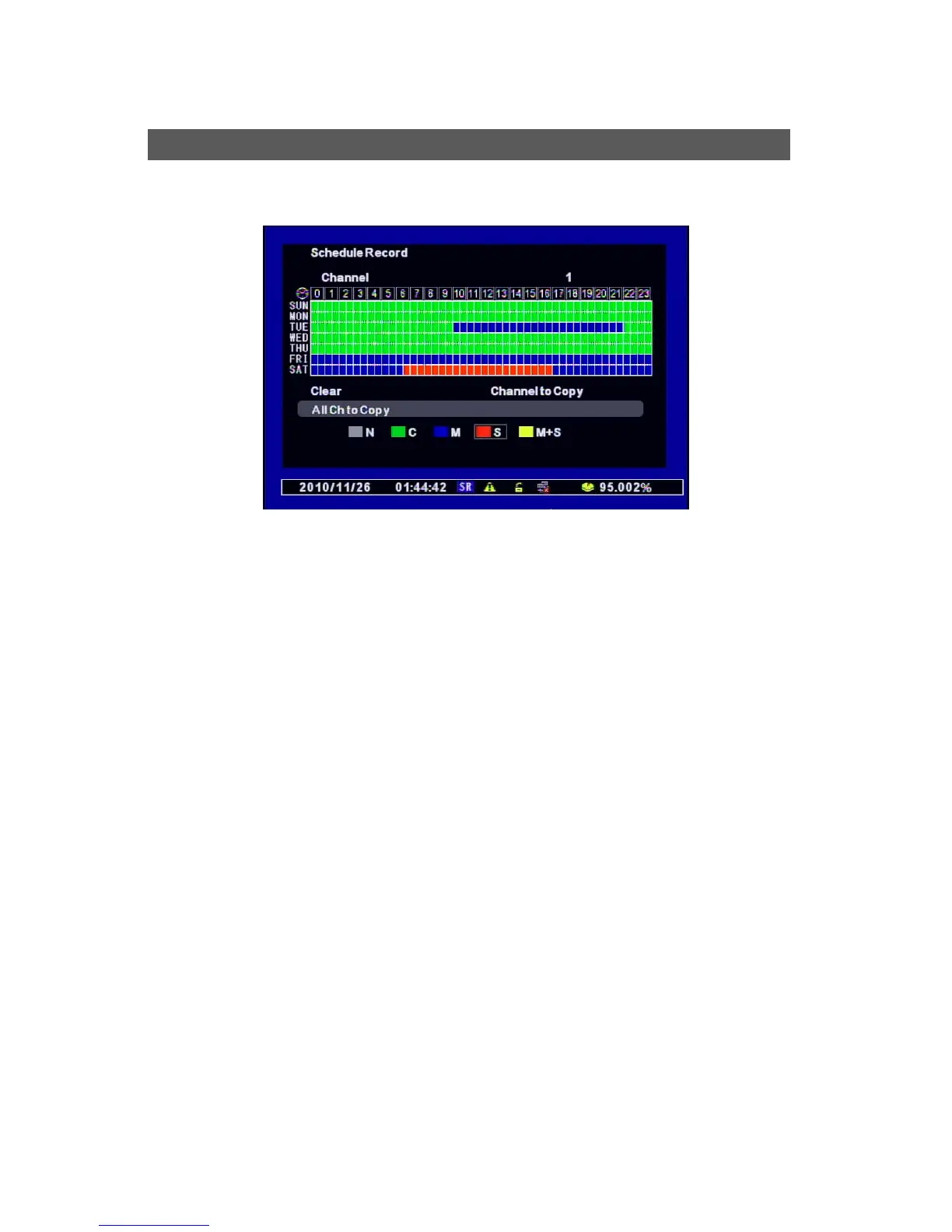
Makes your reservation on a date, time, and channel to schedule the recording per 30 minutes.
█ N (Grey) : No record
█ C (Green) : Continuous Record
█ M (Blue) : Motion Detected Record
█ S (Red) : Sensor Detected Record
█ M+S (Yellow) : Motion and Sensor Detected Record
1. Select the Channel.
2. Once you select the Date and Time, choose the one of above options. It moves from “N”
to “M+S” in order. (N Æ C Æ M Æ S Æ M+S)
3. After selecting other Date or Time, press “Confirm” and then the Event Color is changed.
√ Clear : deletes the schedule of selected channel.
√ Channel to Copy : Copies the current Schedule Record onto the selected channel.
(Press “SETUP” to escape the previous step.)
√ All Ch to Copy : Copies the current Schedule Record onto all the channels
Schedule Record



 To Next Page