50
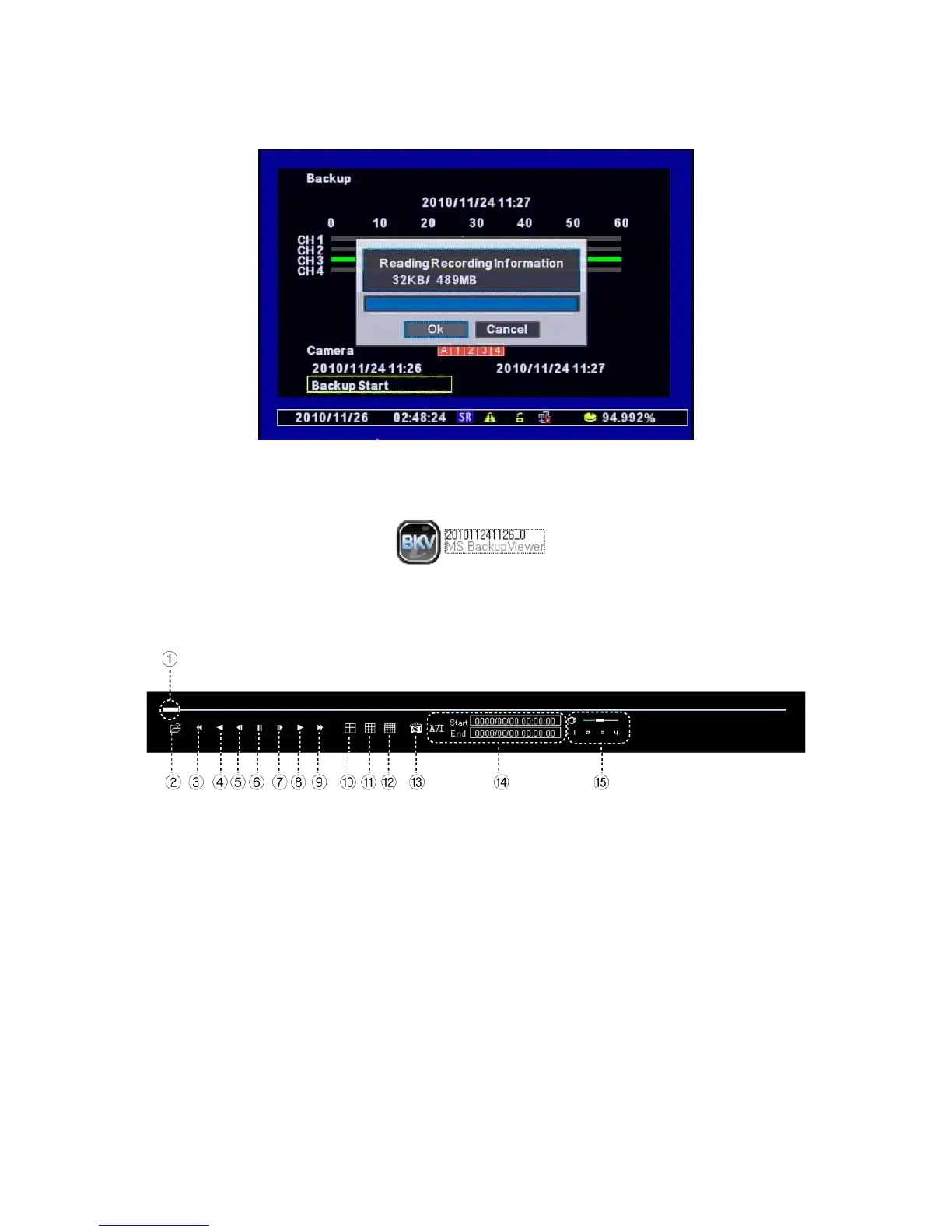
It shows “Backup Size / USB Capacity” and press “OK” to start backup.
[8] If the backup is completely done, you can see the below file in the USB memory stick. Click
the file to play the data.
[9] Using the Viewer Program. (It plays automatically if you click the backup file.)
① Scroll Bar : Indicates the current playing location from the total playback.
② Open : opens other backup files.
③ Fast Rewind
④ Plays backward
⑤ Step Rewind : Used for backward frame-by-frame search while in PAUSE.
⑥ Pause
⑦ Step Forward : Used for forward frame-by-frame search while in PAUSE
⑧ Play
⑨ Fast Forward



 To Next Page