23
EVENT SETTINGS
Event settings
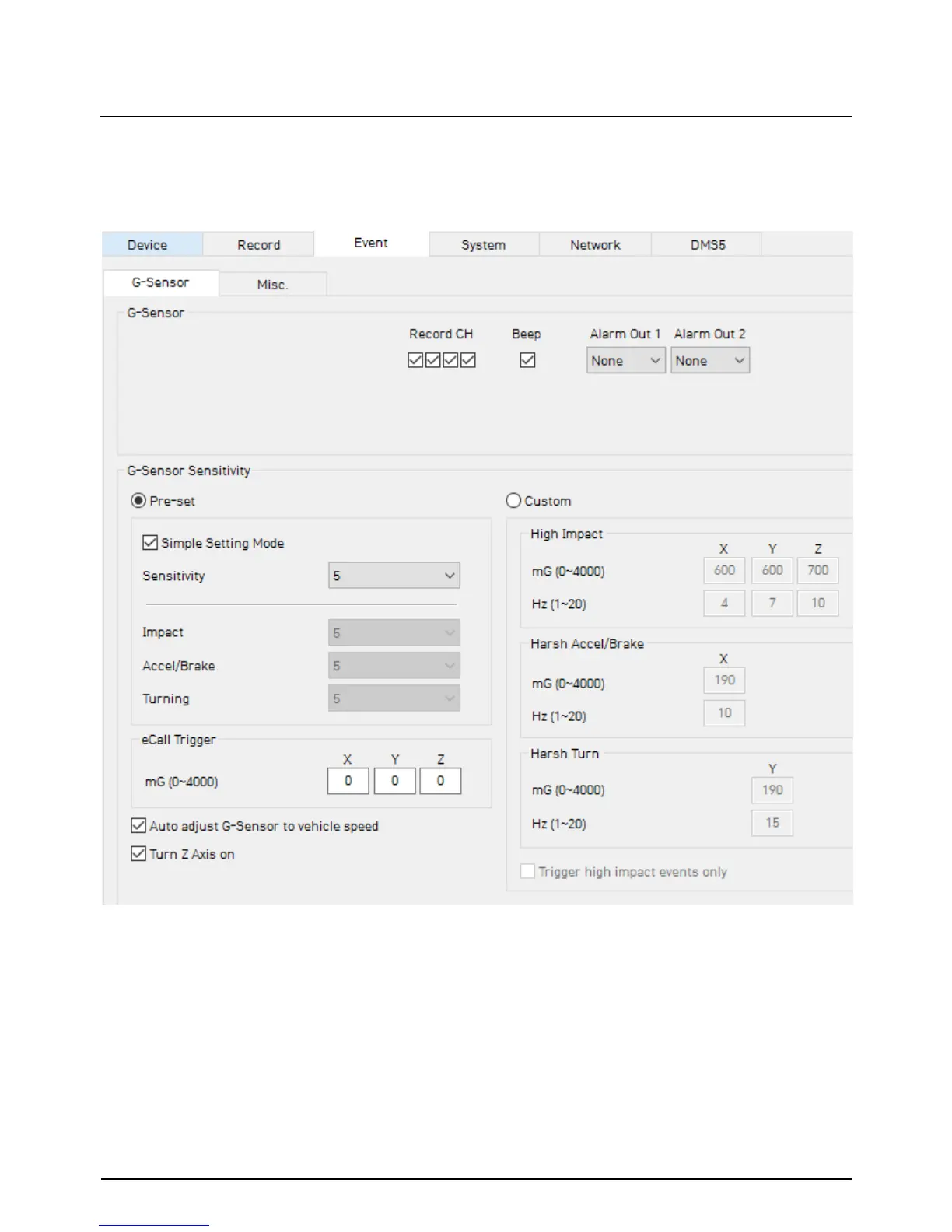
You can set the unit to record when triggered by the G-Sensor, Panic Button and
GPS Speed Limit and Alarm Inputs.
And you can set the Alarm out duration per each event.
G-Sensor Sensitivity: The shock sensor sensitivity can be set to ‘Simple setting
Mode’ or ‘Custom’. Set to easy allows you to set the sensitivity to 9 (High), 5
(Medium) or 1 (Low).
In custom set, you can set 3 different shock sensor values individually.
Auto adjust G-Sensor to vehicle speed
Once it checked, TX4000 will automatically decrease the G-Sensor sensitivity at
higher vehicle speeds to compensate for the naturally added G-forces that are
experienced due to velocity.


 To Next Page