42
BACKUP DATA LIST AND EXPORT
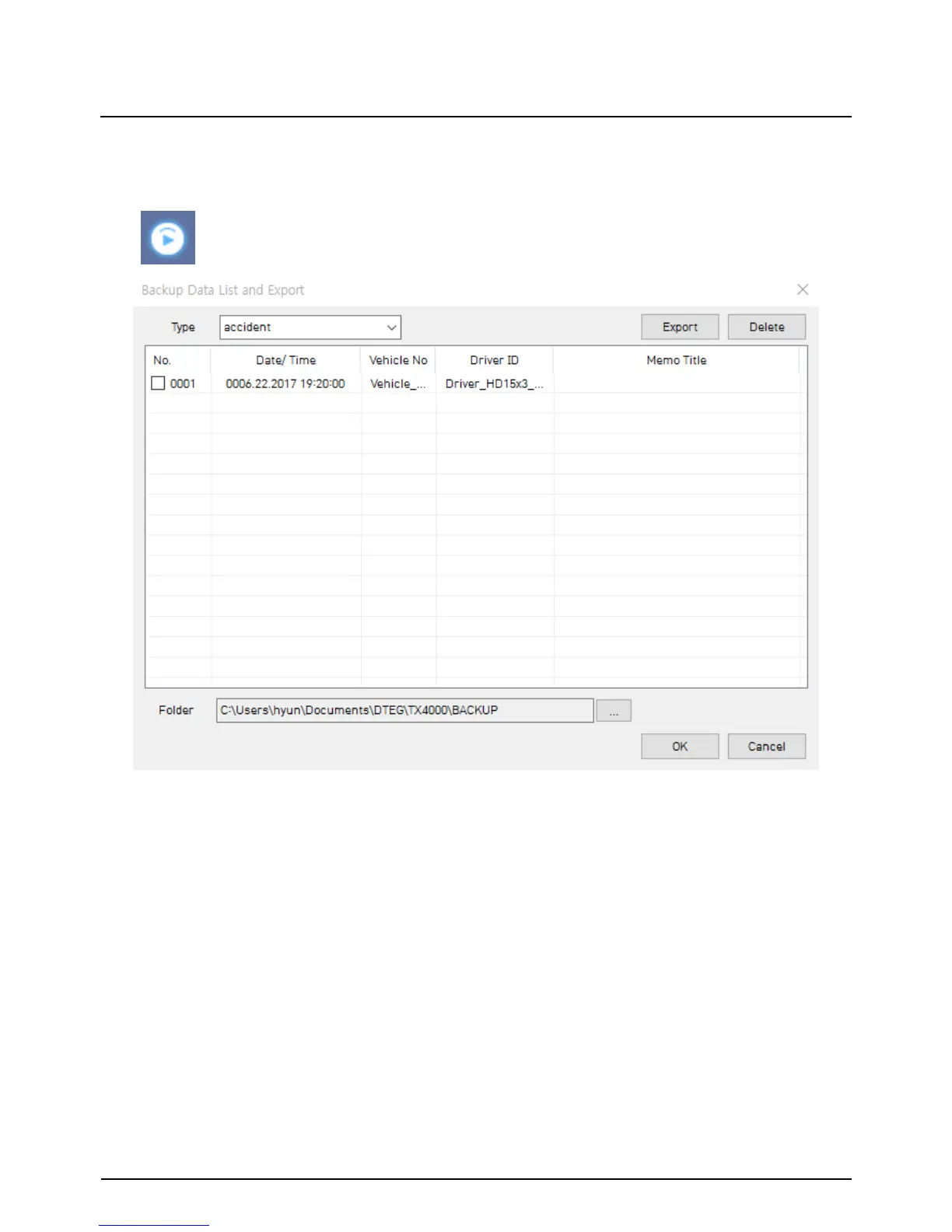
You can use the data backup list to play data files easier that have been backed up.
“Backup Data List and Export” icon
Choose the folder where the backup files are at the bottom of the screen.
(It will automatically show the last folder that was accessed.)
Then, select the type by scrolling down the options.
The files are listed showing the “Date/Time, Vehicle No, Driver ID, Memo Title”.
Check the box next to the file you wish to play back and click ‘OK’.


 To Next Page