31
OPEN THE SD CARD
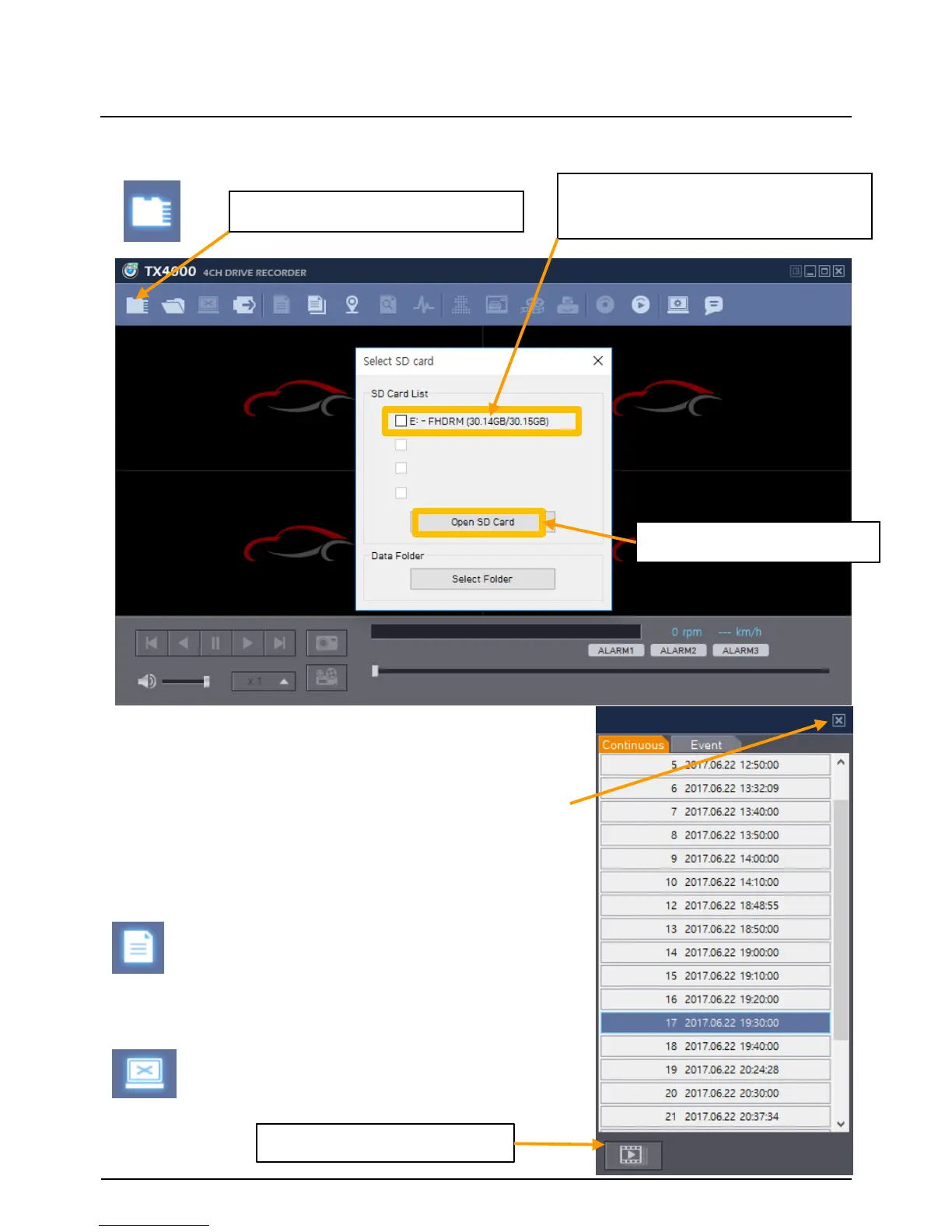
① Click “Select SD Card” icon
② Select the SD card drive and
click “OK”
Insert the SD card into your PC
The playback file list and “Continuous” and “Event”
tap is displayed on the right side of the screen.
You can hide the playback list by clicking the close
icon.
The playback list can be displayed on the screen
again by clicking the “File List” icon.
③ Click “Open SD Card”
“Select SD Card” icon
You can end the video playback by clicking the
“Close files” icon.
“Close files” icon
Continuous Play next file.


 To Next Page