41
BACKING UP FILES
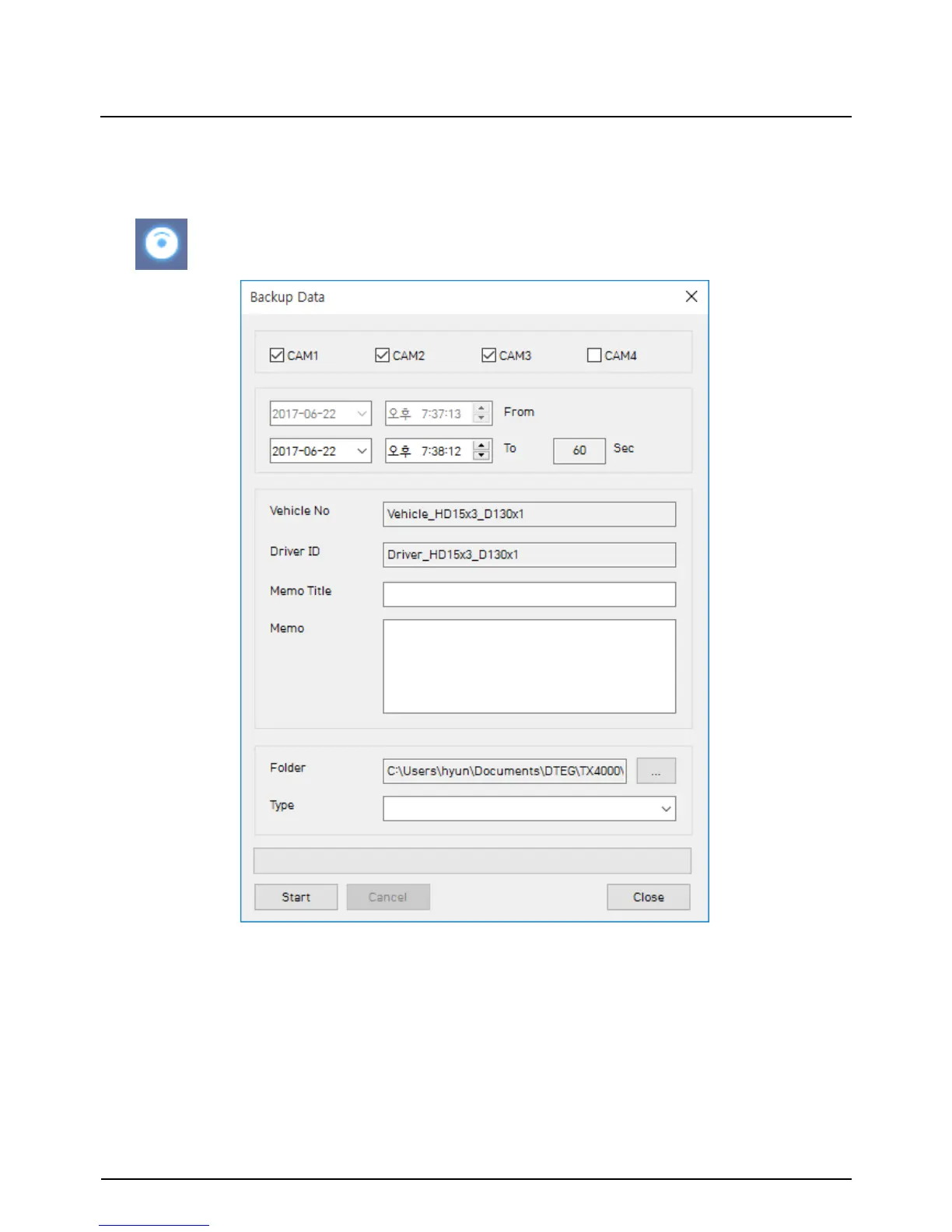
Back up the recorded data on your PC.
There is an option to store data by type to easy management of data.
The start time is when the video was paused and cannot be changed once you
start this process.
Set the time you wish to backup and input Title and Memo.
And input Type and then click [Start].
The maximum amount of time you can back up is one hour.
“Backup Data” icon


 To Next Page