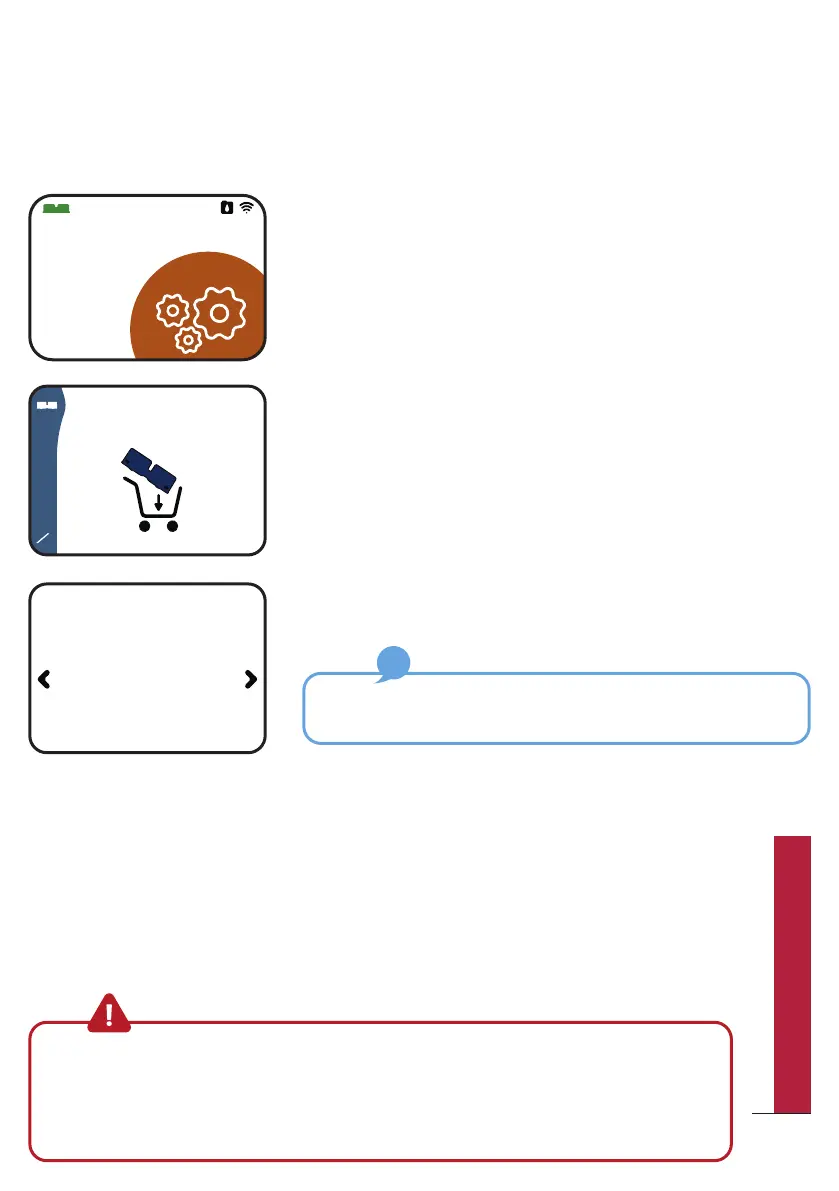
Within the "Settings" menu go to the Bob cassette
screen.
Navigate to the “Order cassette” screen.
Choose the type of Bob cassette you want and
confirm with the central button.
You will receive your order to the registered address in
your Daan Tech account.
If you subscribed to Bob+, you will never run out of Bob
cassette!
A new Bob cassette will be sent as soon as your current one is
almost empty. For more information, please refer to page 54.
One-click order directly on your Bob
Even more convenient and accessible if your Bob is connected to Wi-Fi
and paired to your Daan Tech account (for more details on how to pair
Bob, please refer to page 58)
2
3
Pick your
cassette
pop cassette
30 washing cycle
Warning: Since the products used in the Bob cassette are corrosive and require
precaution, you cannot refill it yourself. To ensure a continuous running of Bob,
you must order a new cassette before sending the old one back to Daan Tech.
Otherwise, you cannot start a program. As an inserted Bob cassette (even if
empty) is a starting requirement for using Bob!
49
QUICK UTILIZATION GUIDE



 To Next Page