How to activate Bob+?
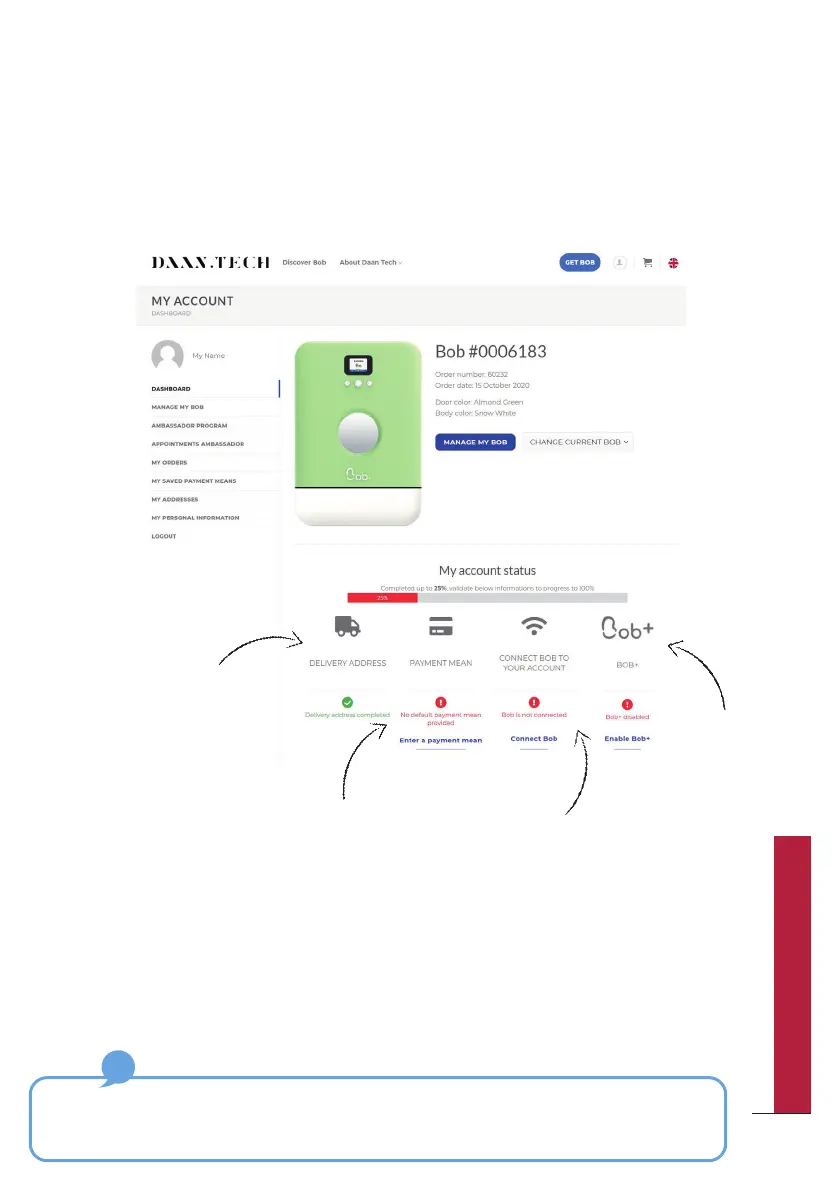
The activation of Bob+ can only be done via your Daan Tech account in “My
Account” on www.daan.tech
To activate Bob+, you have to follow the first 3 steps on your dashboard.
Step 1: Fill in a delivery
address
Finally, you can
activate Bob+ from
the “Manage my
Bob” tab.
Step 2: Register a payment card
(A ctive payment of 1€ is required for the
registration pf a new means of payment,
but this will not be debited from your
account)
Step 3: Connect your
Bob to Wi-Fi
You will receive a confirmation email confirming the activation of your
Bob+ subscription.
The Bob+ service is not binding and you can deactivate it at any time at the
bottom of the “Manage my Bob” page.
57
QUICK UTILIZATION GUIDE



 To Next Page