ENGLISH
44
12. CONTROL PANEL
The functions of EVOSTA2, EVOSTA3 circulators can be modified by means of the control panel on the cover
of the electronic control device.
12.1 Elements on the Display
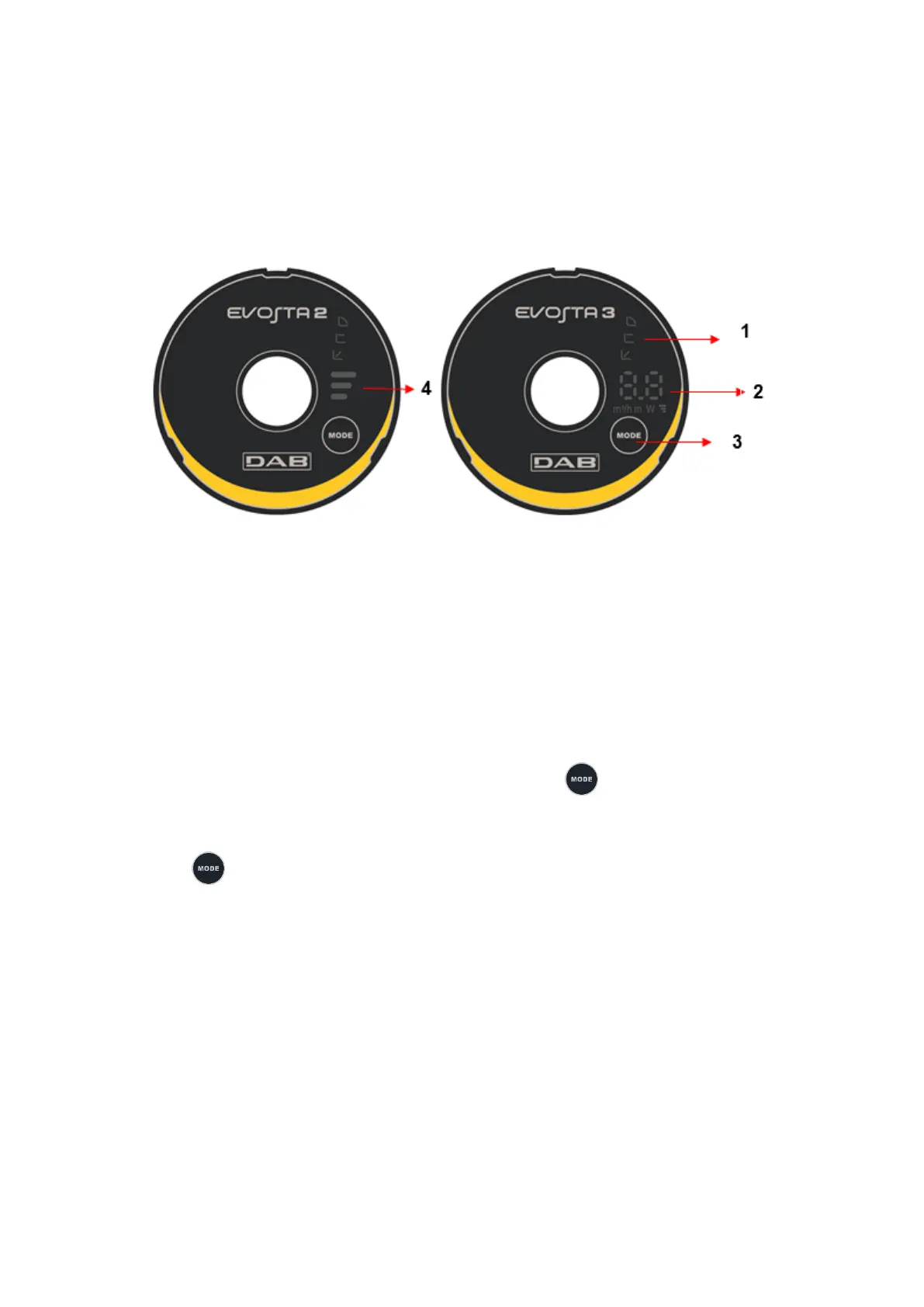
Figure 10: Display
Luminous segments indicating the type of set curve
Display showing the instantaneous power absorption in Watt, the flow rate in m
3
/h, the head in metres
and the set curve.
Key for selecting the pump setting
Luminous segments indicating the set curve
12.2 Graphic Display
12.2.1 Luminous segments indicating the pump setting
The pump presents nine setting options that can be selected with the key.
The pump settings are indicated by six luminous segments on the display.
12.2.2 Key for selecting the pump setting
Whenever the key is pressed, the pump setting is changed. A cycle consists of pressing the key ten
times.








 To Next Page