2) DN-20W
At the time of purchasing sensor, the rated capacity (displacement) and rated output
(R.O) declared on the calibration sheet can be used for the calibration for easier
calibration.
Refer to 8-5.Actual load calibration if you need to correct the error.
※ Zero position will change after setup is complete.
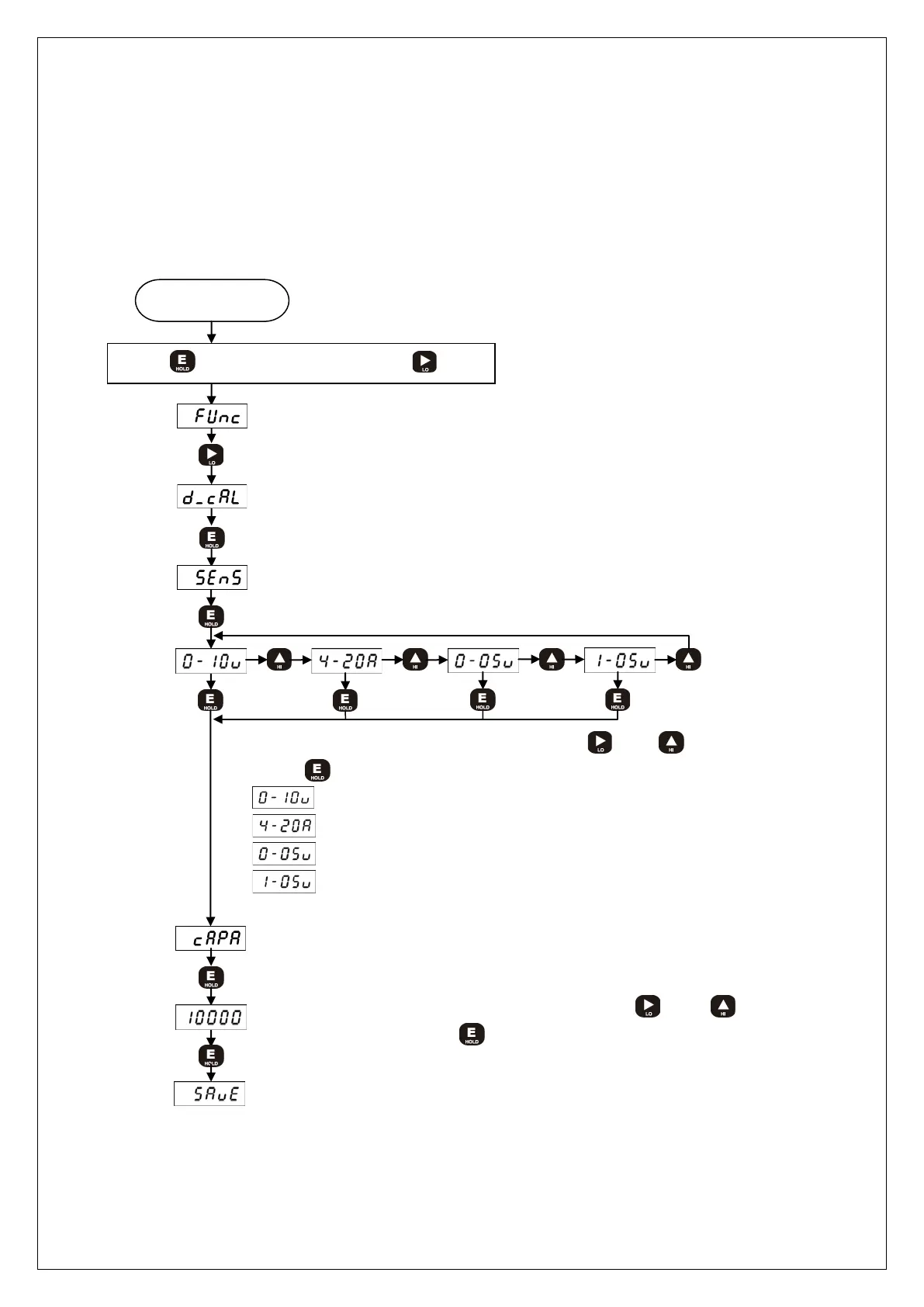
Measuring mode
While key is being Press, press key
Display Function mode
Display Sensor output value calibration mode
Display output type select mode
Display R.C. value input mode
Select the sensor output type by using and key. And then.
Press
key
: DC0~10V (resistive displacement sensors)
: DC4 ~20mA
: DC0~5V
: DC1~5V
Input the rated capacity value by using and
key. And then. Press
key



 To Next Page