10
Manual tuning
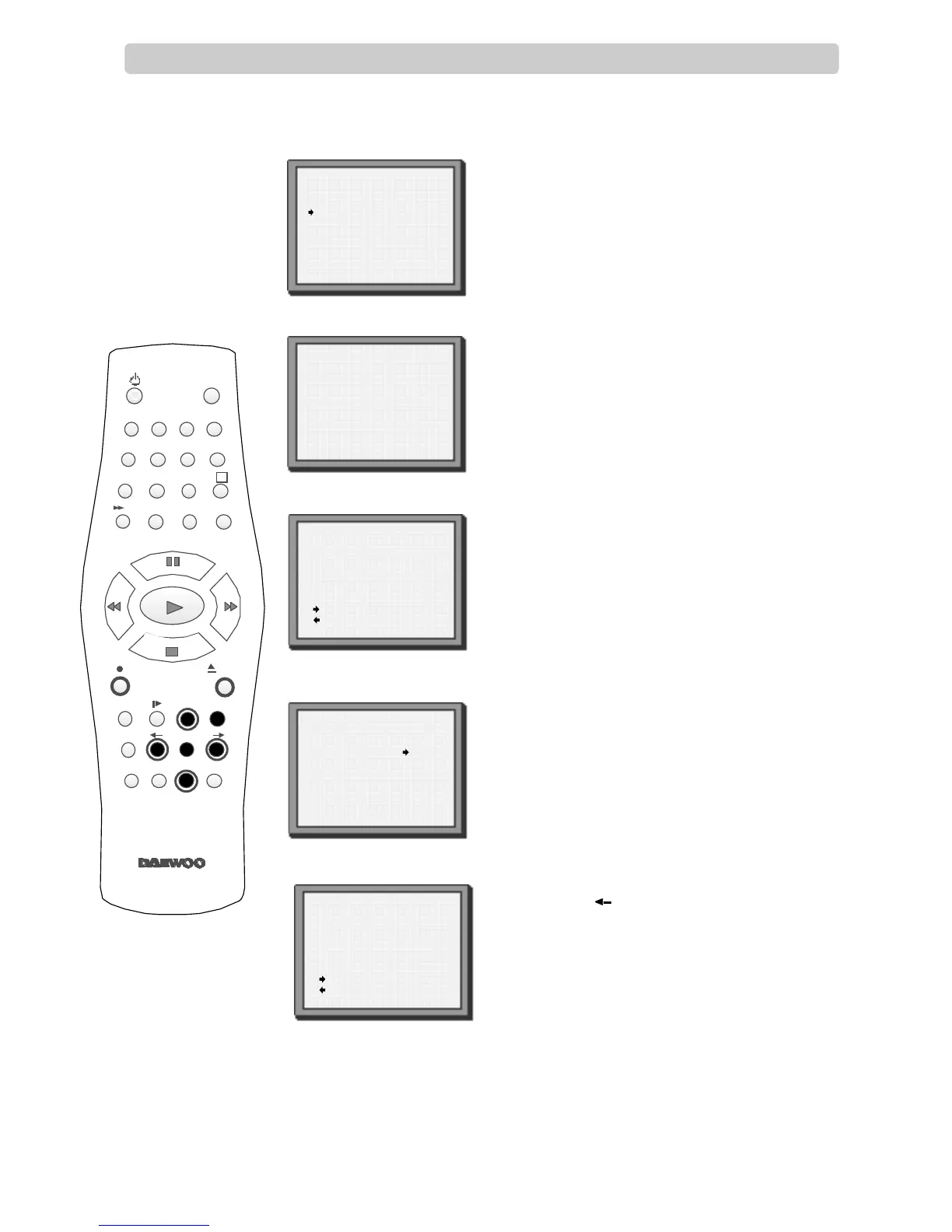
Press MENU..
Choose ‘PR Preset’ by pressing PR- then OK.
Choose ‘Manual Set’ by pressing PR- then OK.
Press PR+ or PR- to select any programme
number that is not being used, for example ‘----’ or
‘P-xx’.
Press OK to confirm.
Press PR+ or PR- to tune in the station you want.
When ‘Manual Set’ comes back on the screen,
press and hold button to see the picture.
If it isn’t the station you want, or the picture is
of poor quality, carry on tuning by pressing
PR+ or PR-.
Press OK to store the picture you want.
Tune in other stations (by following step 3 onwards)
or press MENU to leave the tuning mode.
Your video has 99 available channel slots. It will only store programmes that are available in your area. You
can tune in other stations in any channel slot that is not already being used.
PR PRESET
Auto Set
Manual Set
PR Erase
PR Align
PR+/-:select
OK:confirm MENU:end
MANUAL SET
PR01 BBC1 PRO8 SKYS
PR02 BBC2 PRO9 MTVE
PR03 ITV PR10 P-10
PR04 CHA4 PR11 P-11
PR05 SKY1 PR12 ----
PRO6 SKYN PR13 ----
PRO7 SKYM PR14 ----
PR+/-:select
OK:confirm MENU:end
MANUAL SET
PR+/-:search up/down
MENU :end
PR29
UHF ----------- -----
68%
MANUAL SET
PR+/-:search up/down
:name correct
:PR view
OK:confirm MENU:end
PR29 P-29
MANUAL SET
PR+/-:search up/down
:name correct
:PR view
OK:confirm MENU:end
PR29 P-29
Manual tuning allows you to tune in new stations or equipment such as a satellite receiver and so on.
When your video is in certain AV modes you cannot use ‘PR Preset’. Press AV until P-
--
is displayed on
the front of the video.
1
2
4
5
6
These buttons
are used on the
following two
pages.
2
3
1
4 5 6
7 8 9
0
SV/V+
TV/VCR
AV
A
Q.S
EJECT
MENUSP/LP PR
+
OK
PAL/SEC
A.SEL
PR
–
INDEX
–
+
A.D
30


 To Next Page